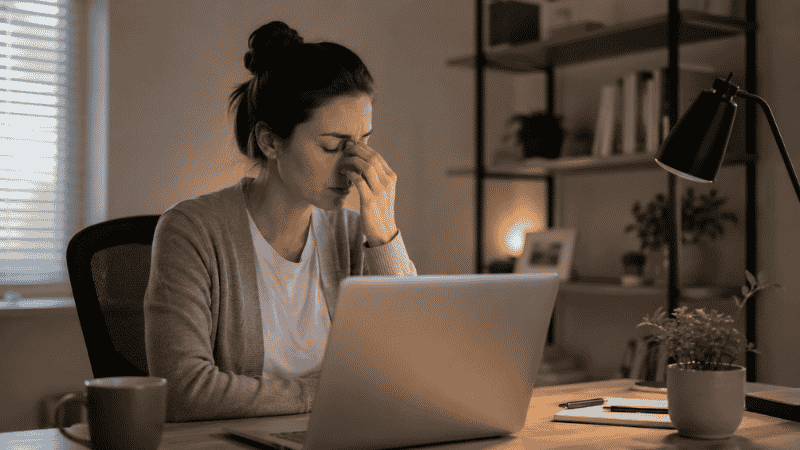
It usually starts around 2 p.m.
Your eyes feel dry, maybe a little gritty. You blink a few times and it doesn’t help. By 4 p.m. there’s a dull pressure behind your eyes that you’ve started to think of as just “how afternoons feel.” You drink another coffee, turn down your screen brightness, and push through to 6.
If this sounds familiar, you’re not imagining it — and you’re not alone. A 2024 meta-analysis reviewing 103 studies across 66,577 participants found that approximately 66% of people who regularly work on screens experience some degree of Computer Vision Syndrome. Among remote workers specifically, the numbers are worse: one survey by All About Vision found that remote employees now spend an average of nearly 13 hours per day looking at screens, compared to 7–10 hours before widespread remote work.
The good news is that most eye strain experienced by remote workers isn’t a medical problem requiring treatment. It’s an environment problem requiring adjustment. Your screen is probably in the wrong position. Your lighting is probably creating contrast your eyes are constantly compensating for. And the things you’ve been told to try — like blue light glasses — probably aren’t making the difference you think they are.
This guide covers what actually works for eye strain relief, specifically for people working from home. No generic medical advice. Just the environmental and behavioral changes that make a real, measurable difference.
Key Takeaways
- A 2024 meta-analysis of 103 studies found that 66% of screen workers globally experience Computer Vision Syndrome — making it one of the most prevalent occupational health issues of the remote work era
- Remote workers spend nearly 13 hours per day on screens on average, compared to 7–10 hours pre-pandemic — a dramatic increase in visual workload with no corresponding change in workspace design for most people
- The 20-20-20 rule (every 20 minutes, look at something 20 feet away for 20 seconds) is the single most evidence-backed behavioral intervention for eye strain relief, validated by multiple clinical studies
- Blue light glasses have weak evidence for reducing eye strain specifically — the primary driver of digital eye strain is not blue light but accommodative stress and reduced blink rate
- Monitor position and ambient lighting are the two environmental variables with the highest impact on eye strain — both are free to fix
Why Remote Workers Get Eye Strain Worse Than Office Workers
The shift to working from home created a perfect storm for eye strain — and most people still haven’t adjusted their environments to compensate.
In a traditional office, your monitor was set up by an IT department with at least a baseline awareness of ergonomics. The overhead lighting was designed for a workspace. You had natural visual breaks built into the day — walking to meetings, talking to colleagues, looking across a room.
At home, most people set up their laptop on whatever surface was available, at whatever height felt okay at first. The lighting in a living room or bedroom is designed for relaxing, not for sustained focus on a screen. And when your commute disappears, so do the natural breaks that gave your eyes time to work at different focal distances throughout the day.
The eyes are muscles, in a functional sense — the ciliary muscles that control focus. When you stare at a screen, those muscles hold the same focal distance for hours. The fatigue you feel at the end of a long screen day is partly those muscles tiring, in the same way your legs tire from standing still versus walking. Standing still is actually harder.
The Actual Causes of Eye Strain When Working from Home
Understanding what’s causing the problem makes the solutions obvious. Most remote worker eye strain comes from one or more of these:
Accommodative stress. Your eyes are locked at one focal distance — screen distance — for hours. The ciliary muscles fatigue from sustained contraction. This is the primary driver of digital eye strain, and it’s why the 20-20-20 rule works: it forces your eyes to shift focal distance and relax those muscles briefly.
Reduced blink rate. When concentrating on a screen, people blink significantly less than normal — studies suggest blink rate drops from 15–20 blinks per minute to 5–7. Blinking is what distributes tear film across the eye surface. Less blinking means faster tear evaporation, dryer eyes, and the gritty uncomfortable feeling that becomes familiar by mid-afternoon.
Lighting contrast. When your screen is significantly brighter than the room around it, your pupils constantly adjust as your gaze moves between the screen and your surroundings. Over hours, this constant micro-adjustment is genuinely tiring. Dim rooms with bright screens are particularly bad for this.
Screen position causing sustained muscle engagement. Looking up at a screen causes less blink suppression and less ocular muscle strain than looking straight ahead or slightly downward. A screen that’s too high doesn’t just hurt your neck — it worsens eye strain too.
Glare and reflections. A window behind you reflects on your screen. A light source in front of you creates glare. Both force your eyes to work harder to process the image through the interference.
How to Reduce Eye Strain: The Environment Fixes First
Before anything else, fix the environment. These changes are free or nearly free and have a greater impact than any supplement, eye drop, or specialty eyewear.
Monitor Position: The Most Important Fix
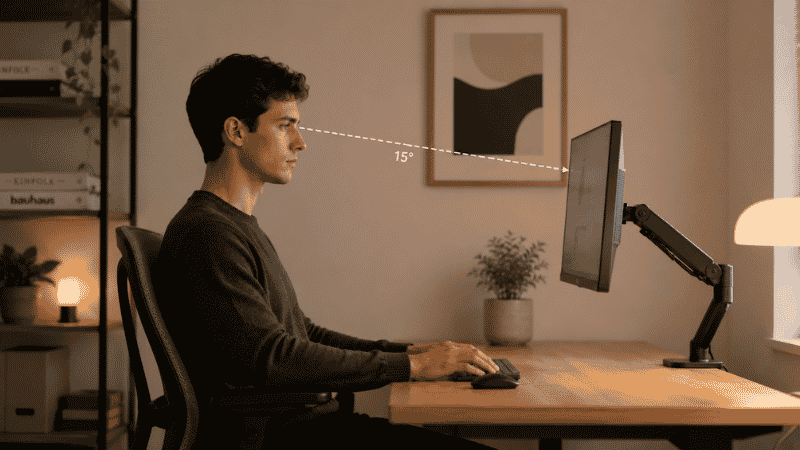
Your monitor should be positioned so that you’re looking slightly downward at the screen — the center of the monitor at roughly 10–20 degrees below eye level. This is the position where your eyelids cover more of the eye surface naturally, reducing evaporative dry eye significantly.
The monitor should be approximately an arm’s length away — 20 to 28 inches for most people, depending on screen size. Too close, and your ciliary muscles work harder to maintain focus. Too far, and you’ll squint and lean in.
If you’re using a laptop without an external monitor, this is difficult to achieve without compromising your neck position. A laptop stand ($20–40) raises the screen to a better height; pair it with an external keyboard and mouse so your hands aren’t forced up to match the elevated screen.
Lighting: Match the Room to the Screen
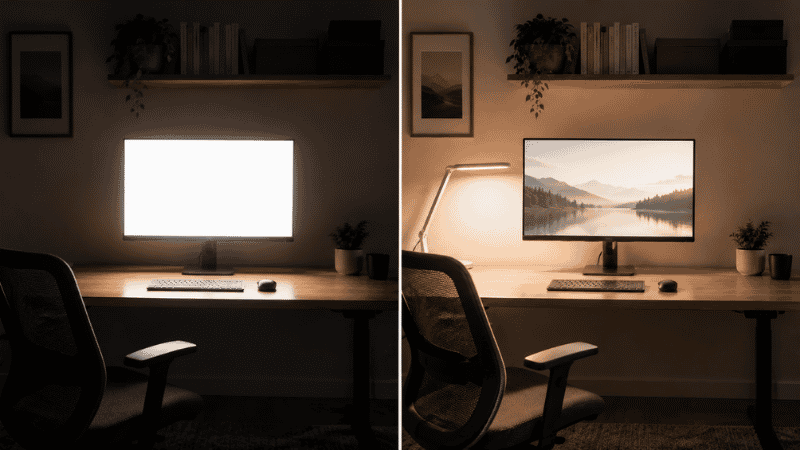
The goal is to eliminate the contrast between your screen brightness and your surrounding environment.
Turn on more ambient light in the room while you work. Working in a dark or dim room with a bright screen is one of the fastest ways to develop eye strain. A well-lit room reduces the pupil adjustment burden significantly.
Position your screen perpendicular to any windows, not facing them or with your back directly to them. A window directly behind you reflects on the screen. A window directly in front of you creates glare. Side positioning gives you the natural light benefit without the problems.
Enable automatic brightness on your monitor if available, or manually set it to roughly match the ambient light level in the room. A quick test: if your screen looks like a light source in the room, it’s too bright. If it looks dim compared to the surroundings, it’s too dark.
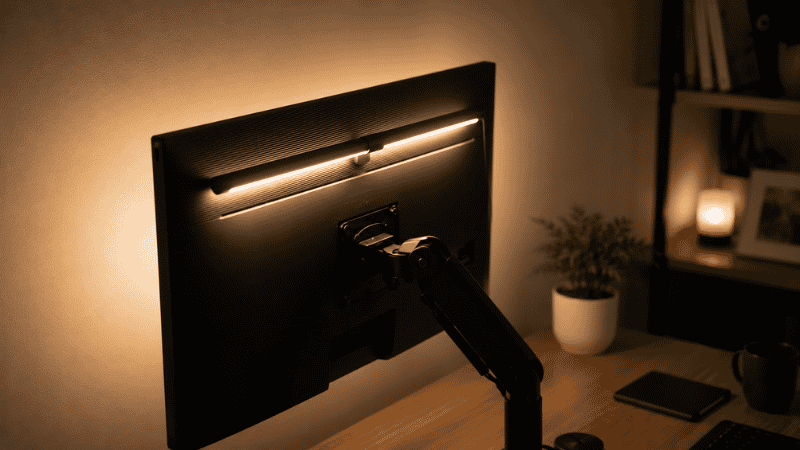
A bias light strip on the back of your monitor ($15–25) softens the contrast between the bright screen and the dark wall behind it. This is one of the highest-value small purchases for eye comfort at a desk.
Glare and Reflections
A matte screen protector eliminates most glare from overhead lights. Many monitors now come with matte finishes; if yours is glossy, a matte film ($15–20) makes a meaningful difference.
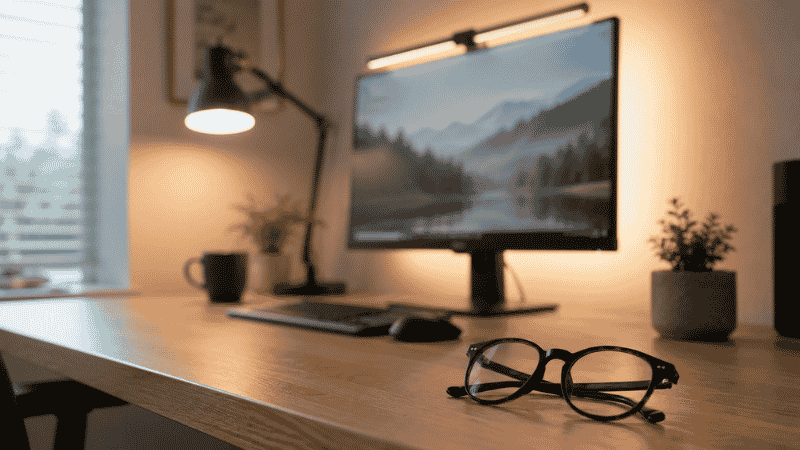
Reposition any desk lamps so they’re to the side and slightly behind you, not in front of you or overhead in your direct line of sight. The light should illuminate your desk surface, not point toward your face.
The 20-20-20 Rule: Why It Works and How to Actually Use It
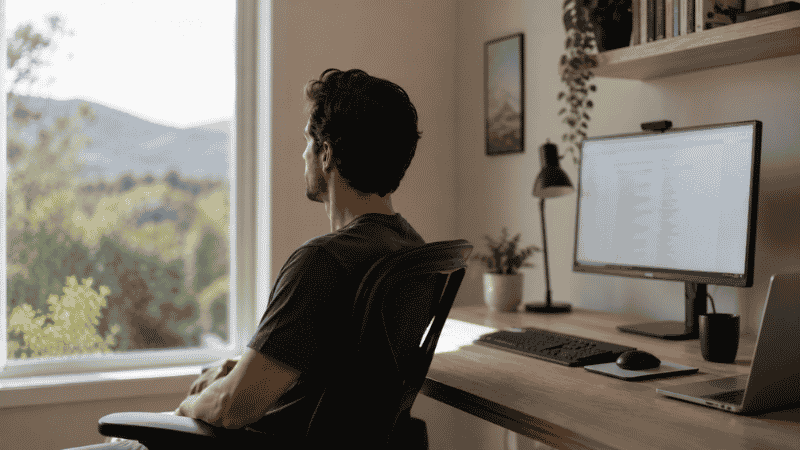
The 20-20-20 rule is one of the few interventions for digital eye strain with solid research backing. Every 20 minutes, look at something at least 20 feet away for at least 20 seconds.
The mechanism is straightforward: it forces your ciliary muscles to shift from near-focus (screen distance) to far-focus (distance), releasing the sustained contraction that causes accommodative fatigue. A 2023 study published in contact lens research confirmed the rule’s effectiveness for reducing dry eye symptoms and maintaining tear film stability.
The problem most people have with it is remembering. A few approaches that actually work in a remote work context:
Set a repeating timer on your phone for 20 minutes. When it goes off, look out a window or across the room for 20–30 seconds. Don’t check your phone during that break — that’s still near-focus work.
Use a break reminder app. Tools like Time Out (Mac) or Workrave (Windows) can be configured to dim your screen briefly at set intervals, forcing you to look away.
Build it into natural workflow breaks. Every time you finish a task and switch to a new one, look away for 20 seconds before starting the next. This makes the habit structural rather than timer-dependent.
Eye Strain Headache: What It Is and How to Address It
Eye strain headaches are real and distinct from other headache types. They typically present as a dull, diffuse ache behind the eyes or across the forehead, occurring after sustained screen use. They’re caused by the sustained tension of the extraocular and ciliary muscles, and often worsen as the afternoon progresses.
The distinction matters because the treatment is different from a migraine or tension headache. Eye strain headaches respond specifically to:
Removing the eye load — stepping away from screens, going outside, looking at distance for 10–15 minutes. Lying down in a dark room doesn’t address the underlying cause the way distance vision does.
Hydration. Mild dehydration worsens both dry eye symptoms and headache susceptibility. If your eye strain headaches are worse on days when you forget to drink water, this is why.
Addressing the root cause in your setup. Eye strain headaches that happen daily are telling you something about your environment — screen position, lighting, or sustained screen time without breaks — that needs to change.
Over-the-counter pain relief can reduce the headache itself but doesn’t address the cause. If you’re relying on pain relief for afternoon headaches multiple times per week, that’s a signal to look at your setup rather than your medicine cabinet.
What Doesn’t Work As Well As You’ve Been Told
Blue light glasses: The evidence for blue light glasses specifically reducing eye strain is weak. Multiple systematic reviews have found little to no difference in eye strain symptoms between blue-light-filtering lenses and standard clear lenses. The American Academy of Ophthalmology does not recommend blue light glasses for eye strain prevention. They may help with sleep disruption from evening screen use, but that’s a different mechanism. The much more impactful interventions are screen position, lighting, and break habits.
Turning down your screen brightness: This helps with glare but doesn’t reduce accommodative stress. A dim screen in a dim room is better than a bright screen in a dim room, but the real issue is the contrast between the screen and its surroundings — not absolute brightness.
Artificial tears for daily use: Eye drops can provide temporary relief for dry eye symptoms, but they don’t address the underlying cause (reduced blink rate). Using them once or twice a day for acute relief is fine; relying on them regularly while doing nothing about your blink rate or environment is treating the symptom without fixing the problem.
Screen time limits as a blanket solution: Simply reducing screen time isn’t always practical for remote workers, and it misses the point that how you look at a screen matters as much as how long. Two hours in a poorly configured setup can cause more strain than six hours in a well-configured one.
If You Only Have 10 Minutes Right Now
Pick one of these and do it before you continue working:
Move your monitor so you’re looking slightly down at it, not straight ahead or up. This is the single highest-impact position change and takes about two minutes.
Put something directly in your line of sight, 20 feet away or more, that you can look at during breaks. A window, a picture on the far wall. Make it deliberate so you actually use it.
Turn on an extra lamp in the room. Reduce the contrast between your screen and the surrounding environment. Your eyes will thank you by 4 p.m.
When to See an Eye Doctor
Most eye strain from screen work is temporary and resolves with environmental changes and behavioral habits. However, see an eye doctor if:
Symptoms persist consistently after making environmental improvements and implementing break habits. Persistent blur, double vision, or significant difficulty focusing that doesn’t resolve after stepping away from screens warrants a professional evaluation.
You notice vision changes that aren’t related to fatigue — sudden changes in visual acuity, new floaters, flashes of light, or significant pain in or behind the eye.
You haven’t had a comprehensive eye exam in more than two years and are spending more than six hours daily on screens. An optometrist can evaluate whether you need prescription correction specifically optimized for screen distance, which can significantly reduce accommodative strain.
Eye strain and headaches that occur alongside neck or shoulder pain may indicate a combination of visual and postural issues that benefit from professional assessment.
FAQs
What is the fastest way to get eye strain relief? Look away from your screen at something 20 feet away for 20–30 seconds. This releases the ciliary muscle contraction causing the strain. For dry eye symptoms, deliberately blink 10–15 times fully. Together these two things provide immediate relief within a minute or two.
Do blue light glasses actually help with eye strain? The evidence is weak. Multiple systematic reviews have found no significant difference in eye strain between blue light filtering lenses and standard clear lenses. They may marginally help with sleep if you use screens late at night, but they’re not an effective eye strain intervention during the day. Fixing your monitor position and lighting will do more.
How long does eye strain take to go away? With environmental corrections and proper break habits, most acute eye strain resolves within a few hours of stepping away from screens. Chronic symptoms that have been building for weeks may take longer to fully resolve as the underlying habits change. If symptoms persist despite environmental improvements, see an eye doctor.
Is working in a dark room bad for your eyes? Yes — specifically because of the contrast between your bright screen and the dark surroundings. This constant contrast forces your pupils to adjust repeatedly, which is tiring over time. Working with adequate ambient light in the room is significantly better for eye comfort than working in the dark with a bright screen.
Can eye strain cause permanent damage? Current evidence does not support the idea that digital eye strain itself causes permanent eye damage. It is a functional problem — muscles fatiguing and surfaces drying — not a structural one. However, uncorrected refractive errors (needing glasses but not wearing them) can worsen strain and warrant correction. If you’re unsure, an eye exam is worthwhile.
What monitor settings help with eye strain? Enable night mode or a warmer color temperature (around 4000–5000K during the day, warmer in the evening). Set brightness to match the room — not brighter than the surroundings, not significantly dimmer. Enable text size large enough to read comfortably without leaning forward. A matte finish or matte screen protector reduces glare from overhead lights significantly.
The Bigger Picture
Eye strain is one of those problems that sneaks up on you. It doesn’t happen suddenly — it builds over weeks and months until the afternoon headache and gritty eyes feel like just the way your afternoons are. They don’t have to be.
The changes that make the biggest difference are mostly free: monitor position, room lighting, and taking deliberate visual breaks. None of them require buying anything. Do those three things first. Then, if you want to go further, consider a bias light for behind your monitor and a matte screen protector. That’s the complete list of what the evidence actually supports.
You spend more time looking at your screen than doing almost anything else. It’s worth spending twenty minutes getting the setup right.
Related Articles on CircuitSeek
- The Complete Home Office Setup Guide →
- Best Monitors for Home Office 2026 →
- Best Desk Lamps for Eye Strain →
- How to Set Up Your Monitor at the Correct Height →
- Desk Organization Ideas That Actually Stick →
References
- León-Figueroa, D.A., Barboza, J.J., Siddiq, A., et al. (2024). Prevalence of computer vision syndrome during the COVID-19 pandemic: a systematic review and meta-analysis. BMC Public Health, 24(1):640. https://doi.org/10.1186/s12889-024-18056-z
- Wolffsohn, J.S., et al. (2023). BCLA CLEAR — Evidence-based analysis of the management of dry eye disease. Contact Lens and Anterior Eye. Includes validation of 20-20-20 rule for tear film stability.
- American Academy of Ophthalmology. (2023). Computers, Digital Devices and Eye Strain. https://www.aao.org/eye-health/tips-prevention/computer-usage
- All About Vision / VSP Vision Care. (2024). Remote Worker Screen Time Survey. Referenced in multiple occupational health publications.