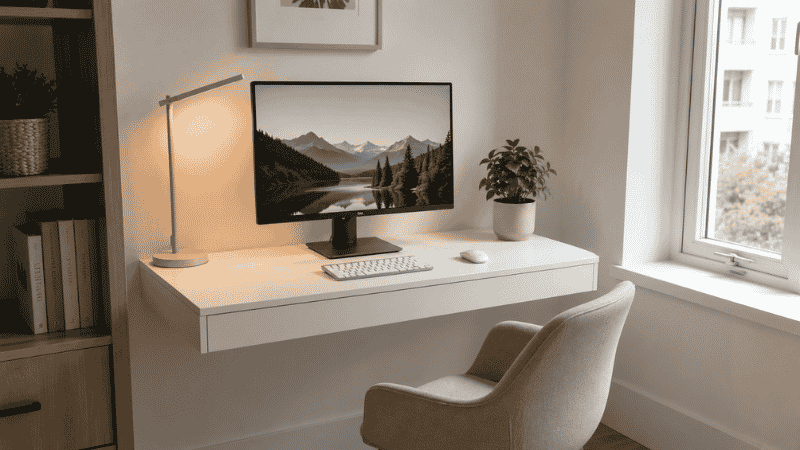
Let’s be honest about something most home office guides won’t say out loud: most of us don’t have a spare room.
We have a kitchen table that doubles as a desk. A bedroom corner with a chair that’s slightly too low. A laptop balanced on a couch cushion because there’s literally nowhere else to put it. And we’ve been making it work — sort of — for months or years, quietly assuming that a real home office is something you earn once you have a bigger apartment.
That assumption is costing you. Not just in comfort, but in focus, in the psychological ability to actually finish your work and then stop thinking about it. Nearly half of remote workers report not having a dedicated workspace, according to ongoing discussions in remote work communities — and the ones who carve out even a small defined zone consistently report feeling more productive than those who don’t, regardless of how many square feet they’re working with.
Here’s what this guide is actually about: not showing you beautiful Pinterest setups you’ll never replicate, but walking you through real small home office ideas that work in real apartments, shared spaces, and awkward bedroom corners. Whatever your situation, there’s a version of this that fits.
Key Takeaways
- You don’t need a dedicated room — you need a dedicated zone, even if it’s just 20 square feet
- Research published in the Journal of Environmental Psychology found that working in a space with reduced visual distractions meaningfully improves focus and task completion
- The “cloffice” (closet office) is consistently the highest-rated small space solution among people who’ve tried multiple setups — because it disappears when you close the door
- Visual separation matters more than physical separation; your brain responds to zone cues even when walls aren’t involved
- The most common small office mistake isn’t choosing the wrong desk — it’s skipping the lighting
Why Your Current Setup Isn’t Working (And It’s Not the Space’s Fault)
Before you buy anything or rearrange anything, it’s worth understanding why small home office setups fail — because it’s almost never about square footage.
The real problem is usually one of three things.
The first is no psychological boundary between work and rest. When your desk is three feet from your bed, your brain never fully switches into work mode in the morning or switches out at night. You’re always a little bit working and a little bit not. This sounds abstract until you notice that you’re lying in bed at 10 p.m. still thinking about that email, or that you’ve been staring at your laptop for an hour and produced almost nothing.
The second is a setup that requires constant assembly. If your “desk” is actually the dining table and you have to move your laptop, set up your monitor stand, and find your mouse every morning — you’ll start skipping steps. And once you’re working from a laptop on a couch “just for today,” it becomes just for most days.
The third is poor lighting in a small space. Small rooms tend to be darker. Dark spaces feel smaller, make screens harder to look at, and subtly suppress your energy. Many people have solved their focus problem entirely by fixing the lighting, without changing anything else.
Once you know which of these is actually your problem, the solution becomes much clearer.
Small Home Office Ideas by Space Type
Not everyone is working with the same situation. Here are four real scenarios — pick whichever one matches your reality.
If You Have a Spare Closet: The Cloffice
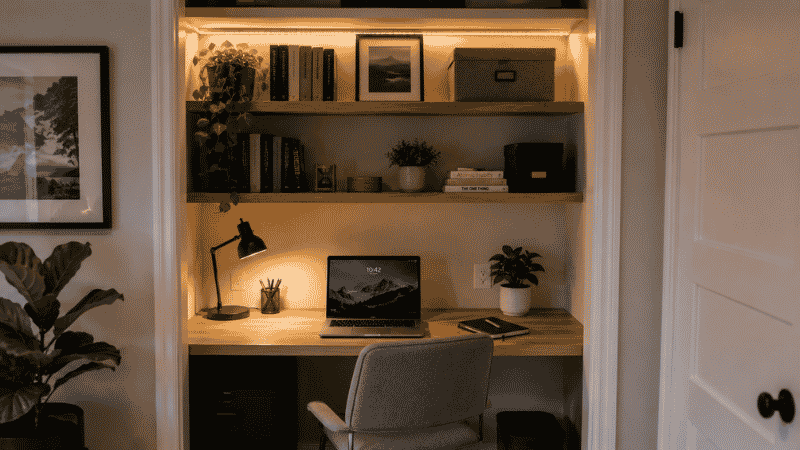
Among the many small home office ideas people have actually tried and stuck with, the closet office — the “cloffice” — sits at the top of almost everyone’s list. The reason isn’t just the space efficiency. It’s the psychological win of being able to close the door at the end of the day and have your work literally disappear.
The setup is simpler than it sounds. Remove the hanging rod and any existing shelving. Install a desktop surface at desk height — 29 to 30 inches from the floor works for most people. Add one or two shelves above for storage. Run a power strip through the back panel or floor. The whole thing can be done in an afternoon with about $150 in materials from any hardware store.
The critical detail that most cloffice guides skip: lighting. A closet with no overhead light will make you feel like you’re working inside a cardboard box. A simple LED strip along the top of the closet interior, or a small mounted task light, completely changes the feel of the space. Spend $20–30 on this before you spend anything else.
Paint the interior a color that feels different from the rest of the room — even a slightly different shade of white creates a visual cue that this zone is for work. At the end of the workday, you close the door. The work is contained. It’s a small thing that has a surprisingly large effect on how mentally “off” you feel after hours.
If You’re in a Studio or One-Bedroom: The Zone Strategy
A studio apartment presents what feels like an impossible problem: you literally sleep, eat, relax, and work in the same room. The temptation is to try to make the whole space feel like an office during the day and a home at night, which results in it feeling like neither.
The better approach is zoning — creating a distinct visual zone for work that your brain registers as different from the rest of the space, even without walls.
A few tools that do this well:
A rug under your desk area. Different floor treatment signals different zone. Your brain picks up on this even when you’re not consciously thinking about it. A $40 rug from IKEA works exactly as well as a $300 one for this purpose.
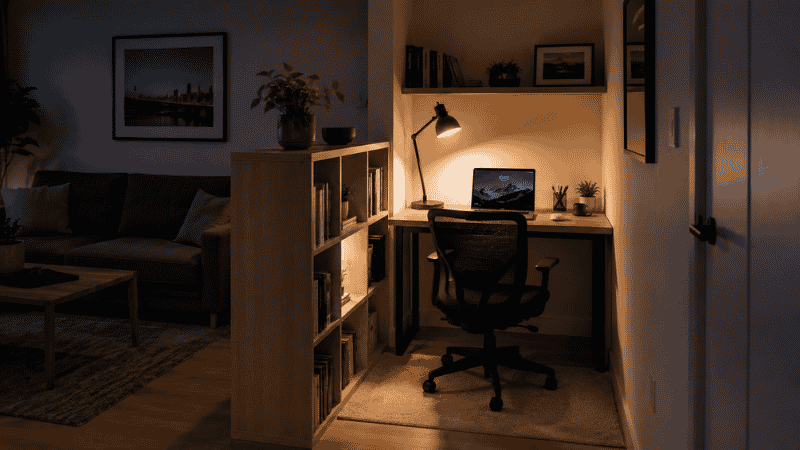
A bookshelf or room divider positioned perpendicular to the wall, creating a visual separation between the desk area and the seating or sleeping area. It doesn’t need to go floor-to-ceiling. Even a waist-high shelf creates enough of a boundary.
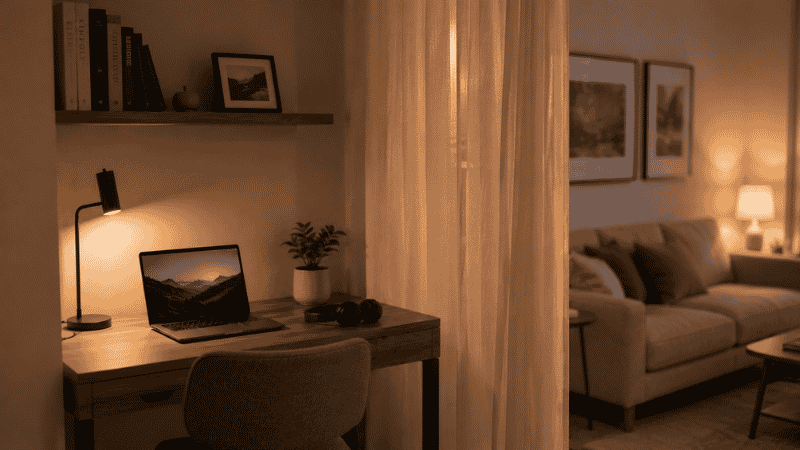
Consistent lighting. Use a desk lamp at your work zone and keep the overhead or ambient lights off while you’re working. When you’re done, turn the desk lamp off and the other lights on. This lighting shift acts as a physical signal that your work time is ending.
The desk itself matters less than its position. Face a wall, not the room. When your field of vision is a wall rather than your couch and TV, you’ll find it significantly easier to stay on task.
If You’re in a Bedroom: The Against-the-Wall Desk
The bedroom home office is probably the most common small space setup, and also the one most likely to quietly wreck your sleep over time. That’s not inevitable — but it does require a bit more intentionality.
A few principles that work specifically for bedroom setups:
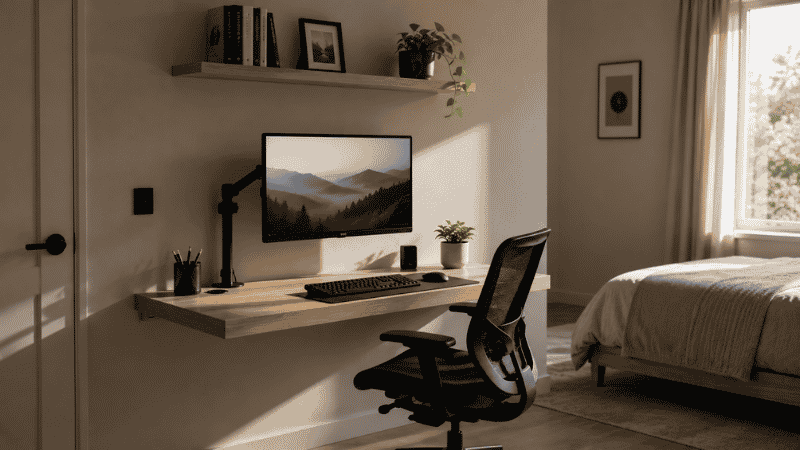
Position the desk facing a wall, away from the bed. Ideally, you shouldn’t be able to see the bed at all while you’re working. This is harder in smaller rooms, but even positioning the desk at an angle so your direct line of sight doesn’t include the bed makes a difference.
A floating wall-mounted desk almost always beats a freestanding one in a small bedroom. It takes up zero floor space when the chair is pushed in. The room reads as larger. The minimum depth for real work is 20 inches — anything shallower and you’ll constantly feel cramped.
Cover or turn the desk away at the end of the day if possible. Some people put a fabric cover over their laptop and monitor setup. Others use a folding screen. The goal is visual: when you look around the room in the evening, your workspace shouldn’t dominate the view. If it does, your brain will keep half-processing “work” even when you’ve stepped away.
Many people also report that adding a small plant to the desk zone and a scented candle nearby — things they only use during work hours — helps their brain build an association between those sensory cues and focused work. It sounds like a minor lifestyle thing. It isn’t.
If You Have a Corner of the Living Room: The Boundary Build
Working in the living room is the setup that requires the most discipline to make sustainable, especially if you share the space with other people. The problem isn’t the desk. It’s the constant negotiation of whose space this is right now.
A few things that help:
Physical separation from the seating area. A bookshelf behind your chair, a curtain hung from the ceiling on a tension rod, a tall plant — anything that puts a visual barrier between the “work corner” and the living room proper. This benefits both you and whoever else is using the space.
Clear hours and signals. Many people who share living spaces find that noise-cancelling headphones have become the universal signal for “I’m working, please don’t talk to me right now.” When the headphones go on, everyone in the household knows. When they come off, the work is over.
A dedicated desk, not the dining table. Even a slim 40-inch desk takes up surprisingly little floor space. But it means your work setup doesn’t have to be assembled and disassembled twice a day, and it means you have a consistent physical anchor for your work. The daily ritual of sitting down at the same spot matters more than you’d think.
The Gear Decisions That Actually Matter in Small Spaces
Most small home office guides spend too much time on furniture aesthetics and not enough on the functional decisions that make a small space actually workable. Here’s what moves the needle.
Go vertical with storage. Every inch of wall space above your desk is potential storage. Floating shelves, pegboards, wall-mounted organizers — these keep your desk surface clear without requiring floor space. A clear desk surface in a small space has an outsized psychological effect; clutter in a small area feels more oppressive than clutter in a large one.
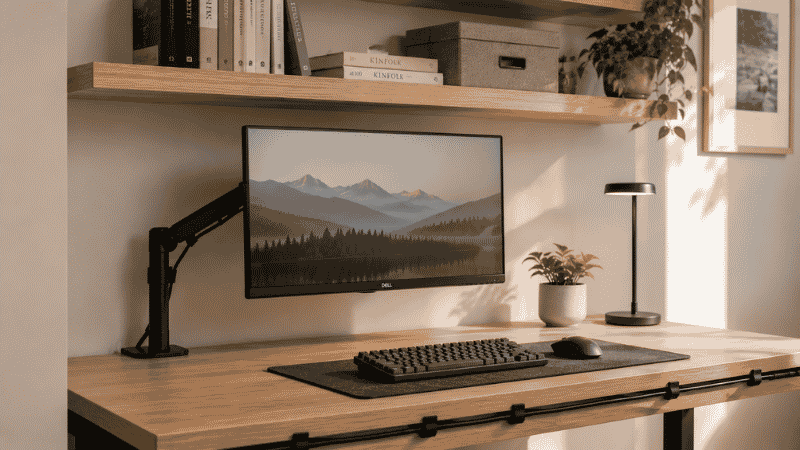
A monitor arm is a small space game-changer. It takes the monitor completely off the desk surface, freeing up several inches of depth. In a setup where you’re working with a 20-inch deep desk, those inches matter enormously. A basic Ergotron or Amazon Basics monitor arm runs $40–60.
Cable management is not optional. In a small space, visible cables make the whole setup look more chaotic and feel more stressful than it is. Velcro cable ties ($8), cable clips that stick to the desk edge ($10), and a single cable run to a power strip underneath the desk eliminates most of the visual noise. This takes about 20 minutes and costs under $20.
Laptop stand plus external keyboard beats a second monitor in tight spaces. A dual monitor setup sounds appealing but takes significant desk depth. A laptop raised on a stand to eye level, paired with an external keyboard and mouse, gives you most of the ergonomic benefit without consuming the desk real estate.
What to Do If You Only Have 10 Minutes Right Now
You don’t have to redesign your entire setup today. If you have ten minutes and want to feel an immediate improvement:
Clear everything off your desk surface that you haven’t touched in the last 48 hours. Put it somewhere — a box, a drawer, the floor — just not on the desk.
Raise your screen. A stack of books, a shoebox, anything to get the top of your screen closer to eye level. Your neck will notice within the hour.
Move your chair so your feet are flat on the floor and your forearms rest on the desk without your shoulders shrugging. Adjust the height before you adjust anything else.
That’s three things. They take ten minutes. Do them now and finish reading this later.
When a Small Setup Isn’t the Real Problem
If you’ve tried multiple configurations and still find yourself unable to focus or mentally switch off from work, it may be worth considering whether the issue is spatial or whether something else is going on.
Persistent difficulty separating work from home life — even with a well-organized setup — can be a sign of work-related stress or burnout rather than a home office problem. If you find yourself unable to stop checking emails after hours regardless of your physical setup, or if anxiety about work is affecting your sleep consistently, speaking with a mental health professional or an employee assistance program is worth considering. A better desk won’t solve that.
FAQs
How do I set up a home office when I have no extra space? Start with the closet if you have one — it’s consistently the best small space solution because it creates genuine visual separation and can be closed at the end of the day. If not, choose a specific corner and use a rug, lighting, and a facing-the-wall desk position to create a zone.
Can I work from home effectively in a studio apartment? Yes. The key is creating a zone, not a room. A dedicated desk, consistent lighting, and a visual boundary (even just a rug or shelf) are enough for your brain to register the space differently. Many people work productively from studios for years.
What’s the minimum desk size for working from home? 20 inches deep and 40 inches wide is the functional floor. Below 20 inches of depth and you’ll constantly feel cramped and struggle to position your screen correctly. Below 40 inches wide and you have nowhere to put anything except the laptop.
Is it bad to work from your bedroom? Not inherently, but it requires some intentional setup. Face the wall, not the bed. Use a wall-mounted desk if possible. Create a clear end-of-day ritual that signals your brain the work is done — putting away the laptop, turning off the desk lamp, leaving the room briefly.
How do I make my home office look professional on video calls? Face a window or position a lamp in front of you (not behind you). Keep the area behind you simple — a bookshelf, a plain wall, or a subtle plant. The single biggest improvement most people can make is better front-facing light. Everything else is secondary.
The One Thing Worth Repeating
You don’t need a perfect space. You need a consistent one.
The setups that work aren’t the most expensive or the most beautifully designed — they’re the ones that remove friction from starting work and make it easy to actually stop. A corner you can always find. A lighting cue that signals work mode. A desk that doesn’t need to be set up from scratch every morning.
Start with whatever corner you have. Define it. Make it yours. The rest can come later.
Keep Building Your Setup
- The Complete Home Office Setup Guide →
- How to Organize Your Desk for Maximum Focus →
- Home Office Setup Under $500: A Realistic Plan →
- How to Reduce Eye Strain When Working from Home →
References
- Laurence, G.A., Fried, Y., & Slowik, L.H. (2013). My space: A moderated mediation model of the effect of architectural and experienced privacy and workspace personalization on emotional exhaustion. Journal of Environmental Psychology. https://doi.org/10.1016/j.jenvp.2013.07.011
- Rotimi, J.O.B., Moshood, T.D., & Rotimi, F.E. (2024). The Potential Challenges and Limitations of Implementing Modern Office Design Features in Residential Spaces. Buildings, 14(10), 3037. https://doi.org/10.3390/buildings14103037
- American Psychological Association. Burnout and work-related stress. https://www.apa.org/topics/stress/burnout