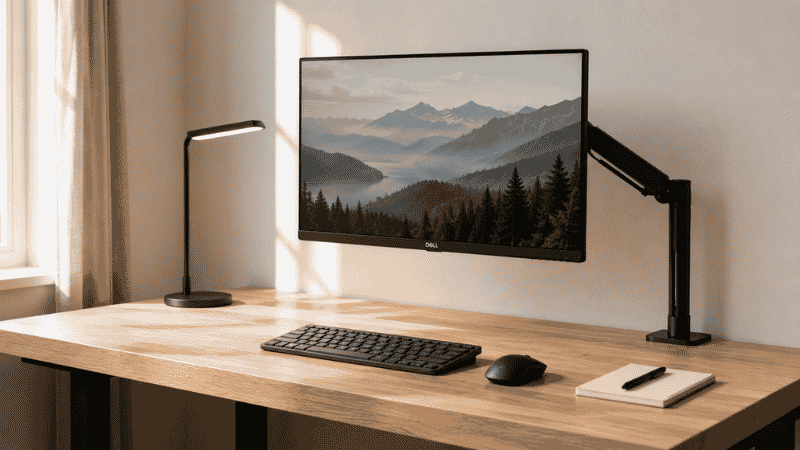
You’ve organized your desk before. Probably more than once.
You cleared everything off, found a home for each item, maybe bought a few organizers. It looked great for about a week. Then the notebook came back, then the charger, then the coffee mug that didn’t make it back to the kitchen, and within two weeks you were back to the same pile with a slightly more expensive set of containers underneath it.
This isn’t a self-discipline problem. It’s a systems problem. Most desk organization ideas focus on the physical arrangement — where to put the pens, which drawer holds what — without addressing why the clutter came back in the first place. Until you understand that, no amount of cable clips and desk organizers will stick for long.
This guide is different. We’ll cover the actual desk organization ideas worth implementing, but we’ll start with the reason your current setup keeps reverting — because fixing that first is what makes everything else work.
Key Takeaways
- Clutter on your desk is almost always a symptom of missing decision systems, not missing storage — buying more organizers without changing habits makes the problem worse
- A Princeton University Neuroscience Institute study found that physical clutter competes for your attention and reduces your brain’s ability to focus and process information
- The most durable desk organization systems are built around subtraction first, then storage — not the other way around
- Minimalist desk organization (keeping only what you use daily on the surface) consistently outperforms elaborate multi-zone systems for people who work alone
- Cable management is the single fastest visual win — 20 minutes and $15 eliminates the most visually chaotic element of most desks
Why Your Desk Keeps Getting Cluttered Again
Before any desk organization ideas will help you, this is worth understanding.
Desks accumulate clutter for one reason: items land there because there’s no clear decision about where else they go. Your desk is the default surface. It’s flat, it’s accessible, and putting something “just here for now” requires zero thought. The problem is that “just for now” has no end date.
Every item on your desk right now that doesn’t belong there is a delayed decision. The receipt you need to file. The book you finished but haven’t put back on the shelf. The cable for a device you use occasionally. None of these require a desk. They’re there because deciding where they actually live takes more mental energy than just setting them down.
This is why the standard advice — buy a desk organizer, assign zones, label things — doesn’t last. You’ve added structure on top of a habit that hasn’t changed. The moment you get busy, the habit wins.
The fix isn’t more organization. It’s making decisions faster and easier so clutter doesn’t accumulate in the first place. Everything that follows is built around that idea.
Start Here: The Desk Subtraction Method
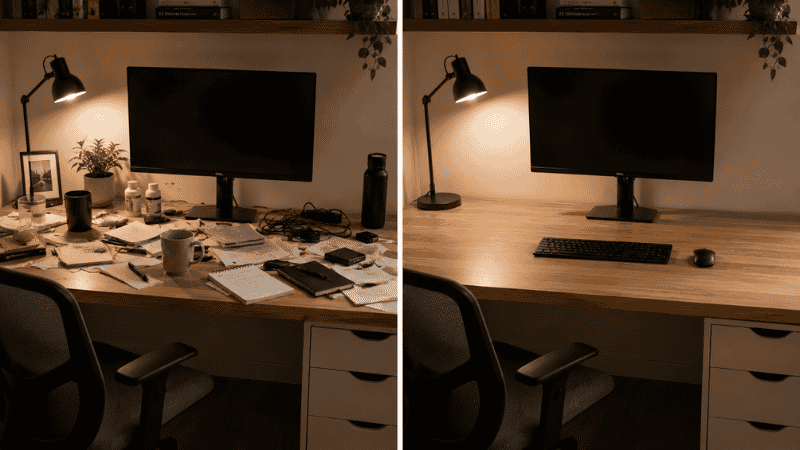
The most effective desk organization idea most guides skip entirely is starting by removing things rather than organizing them.
Before you buy anything or rearrange anything, do this: take everything off your desk surface. Everything. Put it on the floor or a nearby table. Now look at the empty desk.
That empty surface is your baseline. Everything you put back needs to earn its place there by answering one question: do I use this at least once a day?
Daily use items go back on the desk. Everything else gets a home somewhere else — a drawer, a shelf, a cabinet — or gets thrown away. Be honest with yourself here. The charger for a device you use twice a week doesn’t need to be on your desk surface. The stack of papers you’ve been meaning to file for three weeks doesn’t live on your desk; it lives in a pile of decisions you’re avoiding.
Most people who do this end up with 40–60% fewer items on their desk than they started with. And the items that remain are the ones they actually need immediately accessible. This alone, without buying a single organizational product, transforms how the desk feels to work at.
The Only Desk Organization System That Maintains Itself
Here’s the uncomfortable truth about desk organization ideas: most systems require ongoing effort to maintain, which means they fail the moment life gets busy. The goal is to build something that mostly maintains itself.
The system that works for the most people is built on three principles:
Everything has one home. Not a general area — a specific place. The scissors don’t go “in the drawer,” they go in the left compartment of the top drawer. When their home is vague, they end up on the desk surface. When their home is specific, returning them takes one second and no thought.
The desk surface is not storage. This is the mindset shift that changes everything. Your desk surface is a workspace. It’s where you do things, not where you keep things. The items on your surface right now should be only what you’re actively working with or will use today. Everything else is storage, and storage belongs off the surface.
A two-minute end-of-day reset. Every evening before you stop working, spend two minutes putting everything back where it belongs. This isn’t cleaning — it’s a reset. You’re not organizing, you’re returning things to their assigned homes. If you have to spend more than two minutes, something doesn’t have a clear enough home, and you need to fix that, not spend more time on the reset.
This system works because it removes the need for periodic big reorganizations. You never get to the point where the desk is so far gone it needs an intervention. The reset keeps it from compounding.
Desk Organization Ideas for the Surface Itself
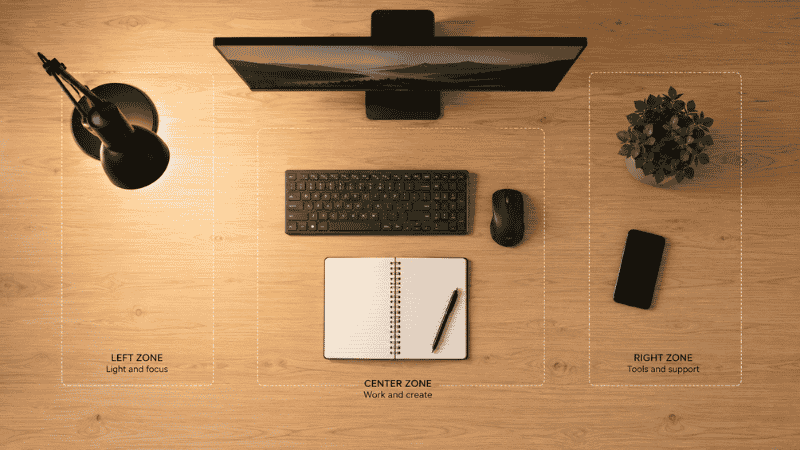
Once you’ve cleared the deck and committed to keeping the surface as a workspace, these are the arrangements that actually improve how you work.
The active zone concept. Divide your desk mentally into three zones: the primary zone (directly in front of you, within arm’s reach without leaning), the secondary zone (the sides, reachable with a comfortable stretch), and the reference zone (the far edges and corners, for things you occasionally glance at but don’t touch constantly). Your keyboard, mouse, and whatever you’re actively working on live in the primary zone. Everything else earns its position based on how often you actually reach for it.
Monitor position first, everything else second. Your monitor position determines where everything else goes. Get the monitor right — eye level, arm’s length away, slightly tilted back — before you arrange anything else. This is a desk organization idea that most people skip because it seems like an ergonomic issue, not an organization issue. But a monitor that’s off-center or too close forces everything else into awkward positions.
One notepad, one pen, nothing else for writing. The writing instrument situation on most desks is out of control. Six pens, two highlighters, a pencil, a marker. Pick one pen you actually like using. Put the rest somewhere else. Keep one small notepad. Clutter on a desk is often redundancy — multiple versions of the same thing that never got decided on.
Home Office Desk Organization: The Small Desk Problem
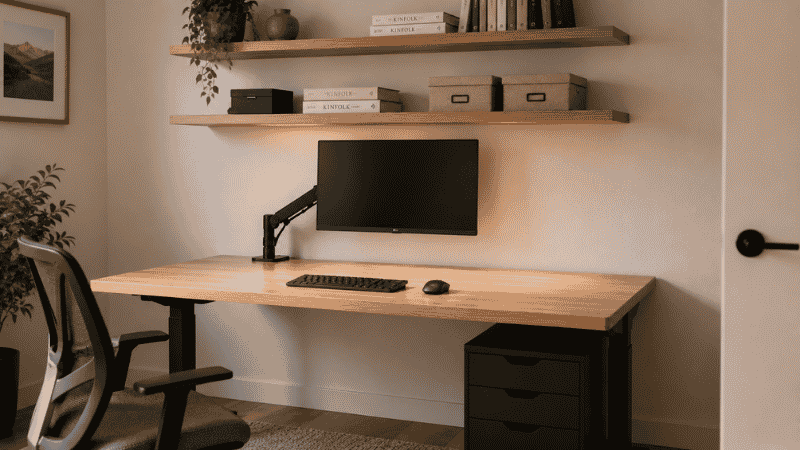
If you’re working on a desk smaller than 48 inches wide or 22 inches deep, you’re dealing with a different problem than someone with a spacious setup. Standard desk organization ideas don’t scale down well. Here’s what actually works in a small footprint.
A monitor arm is the single best investment for a small desk. It takes the monitor completely off the surface, freeing 4–6 inches of depth across the full width of the desk. That’s significant on a small desk. Everything that was cramped before suddenly has breathing room. A basic monitor arm costs $40–60 and takes about 20 minutes to install.
Go vertical, not horizontal. Wall-mounted shelves above the desk handle reference materials, books, and storage without touching the desk surface at all. A pegboard on the wall beside or above the desk keeps frequently used tools (scissors, headphones, a notepad) off the desk but immediately accessible. You’re trading horizontal desk space for vertical wall space, and that’s almost always a good trade.
Under-desk storage matters more in small setups. A small rolling drawer unit that tucks under the desk gives you the storage of a pedestal without consuming any surface area. The desk surface stays clear; everything else lives in the drawers directly beneath it.
One monitor, one input device. The temptation in a small desk setup is to try to run dual monitors or keep a tablet alongside the laptop. Fight that instinct until you have the desk space to support it. A single monitor at the right height and position, with a keyboard and mouse in front, is more productive than a crowded multi-screen setup where you’re constantly negotiating for space.
Minimalist Desk Organization: What It Actually Means
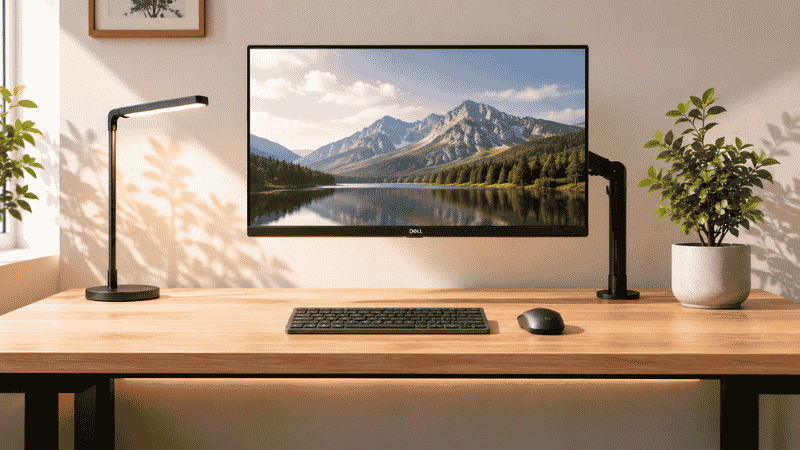
Minimalist desk organization gets misunderstood as aesthetic choice — the all-white setup with one cactus and nothing else. That’s not it.
Minimalist desk organization is a functional philosophy: keep only what earns its place, design out the need to make decisions about clutter, and let the desk surface do its job as a workspace rather than doubling as storage. The aesthetic is a side effect, not the goal.
In practice, this usually means:
Your desk surface holds your monitor, keyboard, mouse, and one other thing — a notebook, a plant, a lamp. That’s it. Everything else has a home off the surface.
Your cable situation is solved, not managed. Cables visible on the desk surface are a form of visual clutter even when they’re technically organized. Run them behind the desk, zip-tie them together, and clip them to the desk edge so they disappear. This isn’t about aesthetics — visible cables create a subtle sense of disorder that affects focus.
Your digital desktop mirrors your physical desktop. A computer screen with 60 desktop icons is the digital equivalent of a cluttered desk, and it creates the same cognitive drag. This is technically outside the scope of “desk organization ideas,” but the two are connected enough that it’s worth mentioning.
How to Organize Desk Cables (The Part Everyone Skips)
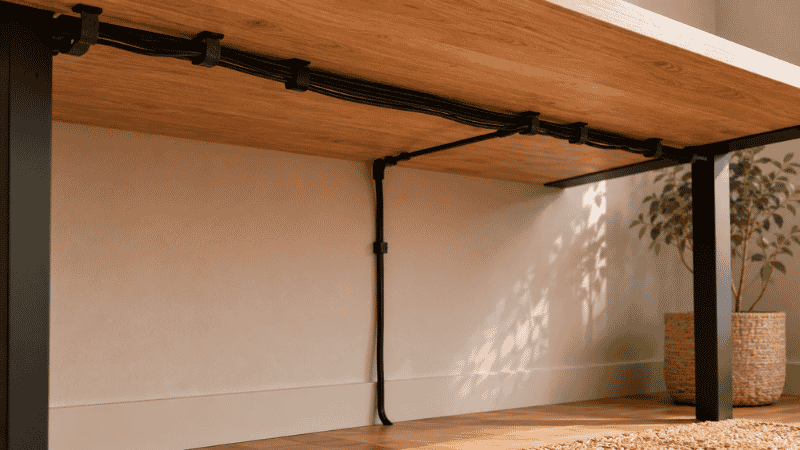
Cable management is the most impactful desk organization idea per dollar spent, and the one most people put off because it seems tedious. It takes about 20 minutes. Here’s how to do it without overthinking it.
Gather all the cables. Identify which ones you actually use. If you haven’t plugged something in within the last two weeks, the cable doesn’t need to live on your desk.
Use velcro cable ties (not zip ties — you’ll want to adjust these later) to bundle cables that run together. A power cable and a monitor cable both running from the desk to the floor? Bundle them.
A cable management raceway or simple adhesive cable clips along the underside of the desk keeps the main cable runs hidden. The goal is to get cables from your devices to a single power strip that’s also mounted under the desk or clipped out of sight. One cable drops from the power strip to the outlet. Everything else disappears.
Adhesive cable clips on the back edge of the desk keep individual cables from sliding off and ending up in a pile on the seat or floor. These cost about $8 for a pack and are one of the highest-value small purchases in any home office setup.
Total materials cost: $15–25. Total time: 20 minutes. The visual difference is immediate and significant.
If You Only Have 10 Minutes Right Now
Don’t try to reorganize everything. Pick one of these and do just that:
Clear your desk surface completely and only put back what you used today. Leave everything else on the floor and deal with it tomorrow — but look at the surface. That’s what it can look like.
Bundle the cables. Grab whatever ties or clips you have. Bundle the cables that run together. Push them to the back of the desk. That alone changes how the whole setup looks and feels.
Throw away anything that’s expired, broken, or a duplicate. Most cluttered desks have a surprising amount of things that don’t need to be kept at all — dead pens, old sticky notes, business cards from people you’ll never contact. Get rid of them. Don’t organize them.
FAQs
Why does my desk get messy so fast even when I clean it? Because cleaning and organizing are different things. Cleaning removes clutter; organizing creates systems that prevent it from returning. If you’re only cleaning, the habits that created the clutter haven’t changed, so the clutter comes back. The fix is assigning specific homes to every item so returning things takes no decision-making.
What should I keep on my desk surface? Only what you use every single day. For most people that’s: monitor, keyboard, mouse, a notepad, and a lamp. Everything else should have a home in a drawer, on a shelf, or somewhere off the surface entirely.
How do I organize a desk with no drawers? A rolling under-desk drawer unit ($30–50) or a small pedestal adds instant drawer storage without requiring a new desk. Wall-mounted shelves above the desk handle everything else. The desk surface itself should be reserved for active work only.
What’s the fastest way to make a desk look organized? Cable management. It takes 20 minutes and immediately makes the entire setup look cleaner, even if nothing else changes. After that: clear the surface of everything that doesn’t belong, and put the monitor at eye level.
Is a minimalist desk setup actually more productive? For most solo knowledge workers, yes — though the research is nuanced. A Princeton study found that visual clutter reduces focus and processing capacity. A clear, consistent desk surface removes a source of low-level cognitive friction that most people don’t even notice until it’s gone.
The Long Game
A well-organized desk isn’t a state you achieve once. It’s a system you build and then barely have to think about.
The desk organization ideas that last aren’t the most elaborate ones — they’re the simplest ones that remove the need to make decisions. A specific home for every item. A surface reserved for work, not storage. Two minutes at the end of every day to reset. That’s it.
Start with subtraction. Then build the system. The organizers and accessories come last, and only if you actually need them.
Related Articles on CircuitSeek
- The Complete Home Office Setup Guide →
- Small Home Office Ideas That Work →
- How to Reduce Eye Strain When Working from Home →
- Home Office Setup Under $500 →
References
- McMains, S., & Kastner, S. (2011). Interactions of Top-Down and Bottom-Up Mechanisms in Human Visual Cortex. Journal of Neuroscience, 31(2), 587–597. Princeton University Neuroscience Institute. https://doi.org/10.1523/JNEUROSCI.3766-10.2011
- Allen, D. (2001). Getting Things Done: The Art of Stress-Free Productivity. Penguin Books.
- Saxbe, D.E., & Repetti, R. (2010). No Place Like Home: Home Tours Correlate With Daily Patterns of Mood and Cortisol. Personality and Social Psychology Bulletin, 36(1), 71–81. https://doi.org/10.1177/0146167209352864