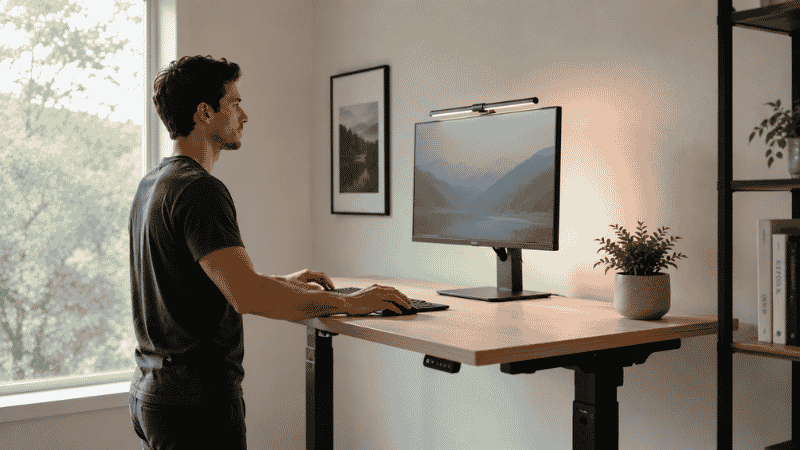
Standing desks have been sold as a cure for everything from back pain to afternoon brain fog to weight gain. The marketing is convincing. The price tags are significant. And if you’ve spent any time in a home office lately, you’ve probably wondered whether you’re the last person on earth still sitting down all day.
Here’s the honest answer: standing desks do have real, research-backed benefits — but they’re more specific and more nuanced than the marketing suggests. Standing all day isn’t better than sitting all day. The calorie burn difference is smaller than almost everyone thinks. And the people who get the most out of a standing desk are often not the ones buying them.
This guide is going to give you the actual picture — what the evidence supports, what it doesn’t, who genuinely benefits, and what you should do with that information if you’re trying to decide whether a standing desk belongs in your home office setup.
Key Takeaways
- A year-long Steelcase-sponsored study led by Mount Sinai researchers found that adjustable desks reduced sitting time by 17% and 47% of users reported relief from back, shoulder, and neck pain after 12 months
- Standing burns only marginally more calories than sitting — approximately 88 vs 80 calories per hour, according to a Journal of Physical Activity and Health study — making it ineffective as a weight loss strategy on its own
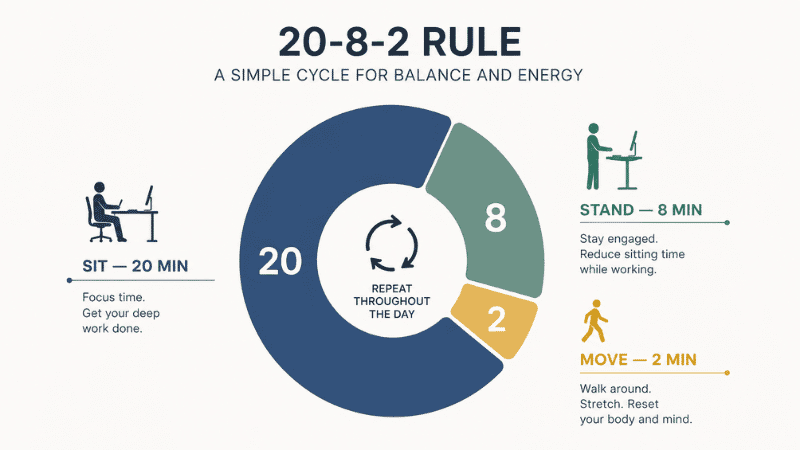
- The 20-8-2 rule (sit 20 minutes, stand 8, move 2 out of every 30 minutes) is the most evidence-aligned approach to sit-stand desk use — continuous standing is not the goal
- A 2024 University of Sydney study found that standing continuously for more than 2 hours increased circulatory problems — alternating positions is essential, not optional
- Standing desk converters ($80–200) are the better starting point for most remote workers — they let you test the behavior change before committing to a $500+ motorized desk
What Standing Desk Benefits Are Actually Backed by Research
Let’s start with what the evidence genuinely supports, because it’s worth separating from the hype.
Back and neck pain reduction — this one holds up. A 2024 study demonstrated that standing desks encourage proper spinal alignment, reducing pressure on the muscles responsible for neck and shoulder pain. A separate year-long study sponsored by Steelcase and conducted by Mount Sinai researchers found that 47% of sit-stand desk users reported meaningful relief from back, shoulder, and neck discomfort after 12 months of use. For people whose primary complaint about desk work is musculoskeletal pain, this is the most compelling case for a standing desk.
Blood sugar management after meals. Multiple studies have shown that standing for 30–60 minutes after eating helps blood glucose return to normal levels faster than remaining seated. For people managing metabolic health or simply trying to avoid the post-lunch energy crash, this is a genuine and underappreciated benefit. It’s also one of the easiest to act on — standing up for the first hour after lunch doesn’t require a dedicated standing desk.
Reduced sedentary time overall. This sounds obvious, but the mechanism matters. The Steelcase-Mount Sinai study found that sit-stand desk users reduced their overall daily sitting time by 17%. That reduction compounds over weeks and months. The health risks associated with prolonged sitting — increased risk of cardiovascular disease, metabolic dysfunction, and all-cause mortality — are well documented. A standing desk doesn’t eliminate those risks, but it does meaningfully reduce the sitting hours that create them.
Modest improvements in energy and focus. Research from Texas A&M University and University College London found productivity improvements of up to 15% among standing desk users over time. The mechanism is increased blood flow to the brain during light physical engagement. This is less dramatic than the marketing suggests but more consistent than most people expect.
What Standing Desk Benefits Are Overstated
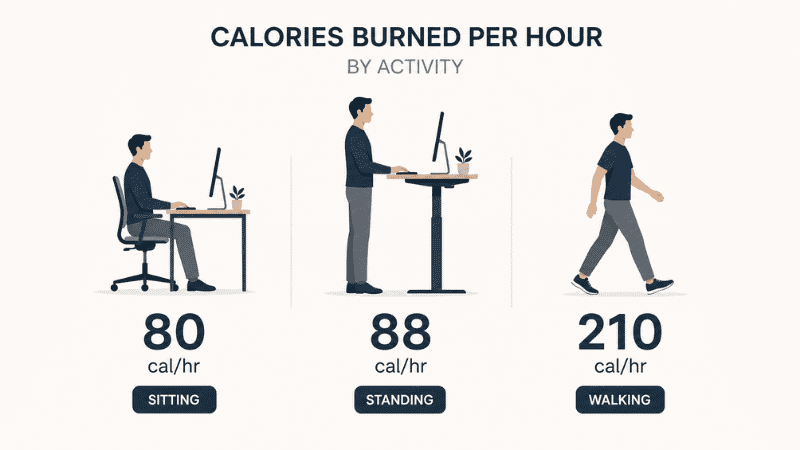
Calorie burn and weight loss. This is the biggest myth in the standing desk conversation. A widely cited study published in the Journal of Physical Activity and Health measured actual oxygen consumption during sitting versus standing and found that standing burns approximately 88 calories per hour compared to 80 while sitting — a difference of 8 calories. Standing for three hours burns roughly 24 extra calories, about the same as a single carrot. Walking for 30 minutes burns approximately 100 extra calories. If weight management is your primary goal, a standing desk is a poor investment compared to simply going for a short walk during your lunch break.
Posture improvement from standing alone. Standing doesn’t automatically improve posture. Poor posture while standing — weight shifted to one leg, hips forward, shoulders rounded — can create different but equally problematic muscular strain compared to poor sitting posture. A standing desk improves posture only when combined with intentional position awareness and correct ergonomic setup.
Productivity gains from day one. The research showing productivity improvements represents averages over weeks to months of use. The first few days of standing desk use are often characterized by fatigue, foot discomfort, and distraction from the novelty of the new position. The benefits build as the body adapts and the behavior becomes habitual.
Are Standing Desks Worth It for Home Office Workers?
This is the question most people are actually trying to answer, and the honest response is: it depends on what you’re trying to solve.
If your primary issue is back, neck, or shoulder pain from sitting, the evidence is strong that a sit-stand desk used correctly will help. This is the highest-value use case.
If your issue is afternoon energy crashes and difficulty focusing, alternating between sitting and standing during the afternoon hours has genuine evidence behind it. Many people find standing during meetings or lower-cognitive tasks keeps them more alert.
If you’re hoping a standing desk will help with weight loss or dramatically improve your health without changing anything else, the evidence doesn’t support that expectation. The benefits are real but modest, and they require correct use — not just owning the desk.
If you’re perfectly comfortable sitting and have no musculoskeletal complaints or energy issues, a standing desk is unlikely to produce a noticeable difference in how you feel or work.
How to Actually Use a Standing Desk (Most People Get This Wrong)
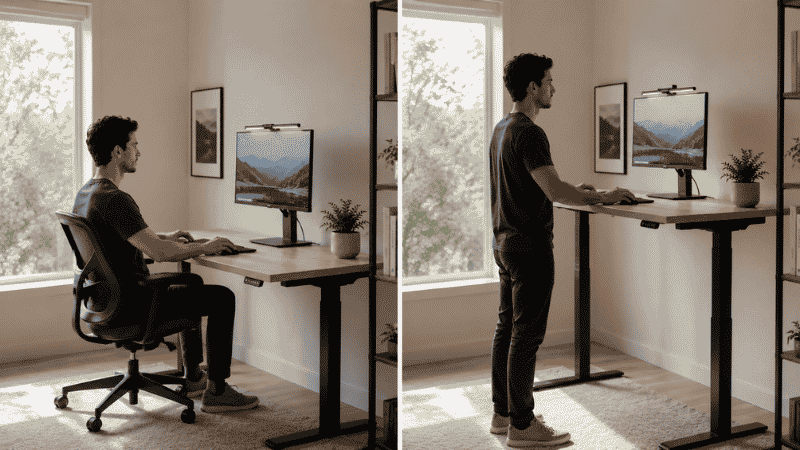
Owning a standing desk and using it correctly are different things. Most people who buy a standing desk either stand too much in the first weeks (leading to foot and leg fatigue that puts them off the behavior entirely) or gradually stop using the standing function and treat it as an expensive fixed desk.
The most evidence-aligned approach is the 20-8-2 rule: for every 30 minutes of work time, sit for 20 minutes, stand for 8, and move or walk for 2. This pattern distributes postural variability throughout the day without the fatigue that comes from extended standing periods.
How to build the habit in the first two weeks:
Start with 15–20 minute standing periods, twice per day. Morning and after lunch are the most natural entry points. Don’t stand for more than 30 minutes continuously in the first week — your feet and legs need to adapt.
Increase standing duration by 10–15 minutes per week until you’re accumulating 2–4 total hours of standing across the workday. A 2024 University of Sydney study found that continuously standing for more than 2 hours increased circulatory problems — so interval standing, not marathon standing, is the goal.
An anti-fatigue mat is not optional. Standing on a hard floor for extended periods accelerates foot and leg fatigue significantly. A good anti-fatigue mat ($30–60) transforms the standing experience. Comfortable shoes matter too — standing at a desk in socks on hardwood is a different experience than standing with supportive footwear.
Monitor height while standing matters as much as while sitting. When you switch to standing, your monitor needs to move with you. This is one of the reasons motorized desks with memory height settings are significantly more practical than manual crank desks — the barrier to switching positions needs to be near zero, or you won’t switch.
Standing Desk vs Desk Converter: Which Makes More Sense to Start
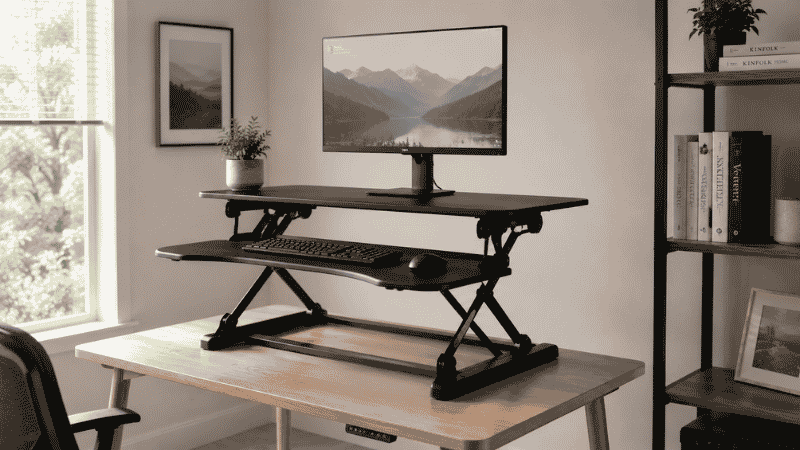
For most home office workers considering a standing desk for the first time, a standing desk converter is the smarter entry point — not a full motorized desk.
A standing desk converter sits on top of your existing desk and raises to standing height when you want it. The primary advantages:
You test the behavior before the investment. A standing desk converter costs $80–200. A quality motorized standing desk costs $400–800+. Many people who buy a full standing desk first discover within a month that they rarely use the standing function. A converter lets you validate that you’ll actually use it before spending significantly more.
It works with your existing desk. If you have a desk you like — the right size, the right surface — you don’t have to replace it. The converter adds the sit-stand function without eliminating what’s already working.
The main limitation of converters: they typically have a smaller work surface area than a full desk, and they sit higher than a full standing desk when raised, which can affect monitor positioning. For people who know they want standing desk functionality as a permanent part of their workflow, a motorized desk eventually makes sense. For people who are unsure, a converter is the right first step.
Who Should Not Rush to Buy a Standing Desk
A few situations where a standing desk is not the right solution:
If you have varicose veins or circulation issues in your legs, prolonged standing can worsen symptoms. Consult a doctor before committing to significant daily standing time.
If you have existing foot conditions — plantar fasciitis, flat arches, significant foot pain — standing for extended periods may be uncomfortable regardless of footwear or matting. Address the underlying condition first.
If your back pain is acute or recently injured, a standing desk is not a substitute for medical assessment. Standing can relieve certain types of chronic back pain but can worsen others, particularly acute muscle injuries or certain disc conditions. If your back pain is new, significant, or worsening, see a doctor before changing your work setup.
If You Only Have 10 Minutes Right Now
You don’t need a standing desk to test whether alternating positions works for you.
Stand up right now. Put your laptop on a stack of books or a box — anything that brings the screen to eye level while you’re standing. Work standing for the next 15–20 minutes. That’s the experience. No purchase required.
If that feels better, or if you notice your focus is sharper, or if your back appreciates the change — that’s useful information. Do it a few times over the next week. If the behavior sticks and you find yourself wanting to do it consistently, then a desk converter or standing desk is a reasonable next step. If you try it twice and forget about it, you’ve saved yourself several hundred dollars.
FAQs
What are the main standing desk benefits for remote workers? The most consistently supported benefits are reduced back, neck, and shoulder pain; better blood sugar regulation after meals; and reduced overall sitting time. Energy and focus improvements are reported by many users but vary significantly by individual.
Is standing all day better than sitting all day? No. Prolonged standing creates its own problems — foot fatigue, leg discomfort, and circulatory strain. The goal is postural variability: alternating between sitting, standing, and brief movement throughout the day. Neither extreme is healthy.
How long should I stand at a standing desk? Start with 15–20 minute periods, twice per day, and build gradually. The evidence-aligned target is 2–4 total hours of standing distributed across the workday, with no continuous standing period exceeding 30–60 minutes. The 20-8-2 rule is a practical framework.
Do standing desks help with back pain? For chronic back pain associated with prolonged sitting, yes — the evidence is reasonably strong. A year-long study found nearly half of sit-stand desk users reported meaningful back pain relief. However, standing desks don’t help all types of back pain equally, and they’re not a substitute for professional assessment of acute or severe pain.
Are standing desk converters worth it? For most people trying standing desks for the first time, yes. They’re significantly cheaper than full motorized desks, work with existing furniture, and let you validate the behavior change before a larger investment. The main tradeoff is a smaller surface area and less seamless position switching.
How many calories does a standing desk burn? Approximately 8 extra calories per hour compared to sitting — about 24 extra calories for a three-hour standing session. This is far less than most marketing suggests and makes standing desks ineffective as a primary weight management strategy.
The Bottom Line on Standing Desk Benefits
Standing desks are a legitimate ergonomic tool with real benefits — particularly for back and neck pain, blood sugar management, and breaking up the sedentary workday. They are not a health transformation device, and the calorie burn claims are dramatically overstated.
The people who get the most from standing desks are the ones who use them correctly: alternating positions throughout the day, building the habit gradually, and setting up the ergonomics properly at both sitting and standing heights.
If you’re curious, start with a converter. If you already know you’ll use it consistently and back pain is a real issue in your daily work life, a motorized desk is worth considering. Either way, the standing desk is a supporting tool in a larger picture — one that also includes a good chair, a well-positioned monitor, regular movement breaks, and a workspace that actually fits how you work.
Related Articles on CircuitSeek
- The Complete Home Office Setup Guide →
- Why Does My Back Hurt Working from Home? →
- Home Office Setup Under $500 →
- Best Desk Organization Ideas →
- Eye Strain Relief for Remote Workers →
References
- Steelcase & Mount Sinai Health System. (2023). The Impact of Sit-Stand Desks on Employee Health and Productivity: A 12-Month Study. Referenced in 2727 Coworking Industry Analysis, 2025.
- Shmerling, R.H. (2016, updated). The truth behind standing desks. Harvard Health Publishing. https://www.health.harvard.edu/blog/the-truth-behind-standing-desks-2016092310264
- León-Figueroa, D.A. et al. (2024). University of Sydney Study on Prolonged Standing and Circulatory Risk. Referenced in Guidespot Standing Desk Health Benefits, 2025.
- Gibbs, B.B. et al. (2017). Reducing Sedentary Behavior versus Increasing Moderate-Intensity Physical Activity in Older Adults. Journal of Physical Activity and Health. https://doi.org/10.1123/jpah.2016-0257
- Occupational Ergonomics Research Center (OERC). (2024). Systematic Review: Ergonomic Interventions for Musculoskeletal Complaints in Office Workers. International Journal for Multidisciplinary Research.