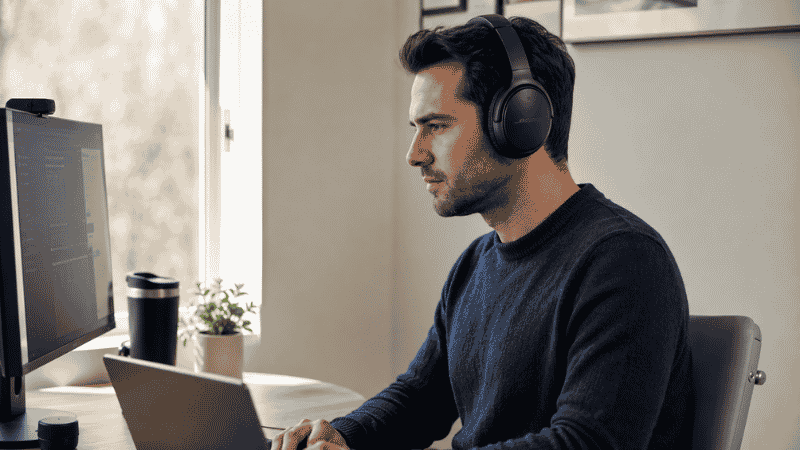
The wrong headphones for working from home don’t just sound bad. They make your workday actively worse.
There’s the over-ear pair that feels fine for the first hour but becomes genuinely uncomfortable by early afternoon. The earbuds that sound great for music but pick up every ambient noise during Zoom calls, making your colleagues hear your neighbor’s lawn mower in perfect clarity. The noise-cancelling headphones that cancel your neighbor’s noise but also somehow make you feel faintly dizzy after a few hours — a real phenomenon called pressure sensitivity from ANC.
Most headphone guides for remote workers are just generic “best noise cancelling headphones” lists repackaged with a work-from-home headline. They don’t address the specific things that matter when you’re wearing headphones for six to eight hours a day: comfort over extended periods, microphone quality for frequent calls, how ANC feels after prolonged use, and whether earbuds or over-ear actually works better for your specific situation.
This guide answers those questions directly.
Key Takeaways
- For most remote workers spending 50%+ of their day on video calls, microphone quality matters as much as noise cancellation — the Sony WH-1000XM6 and Jabra Evolve2 55 lead in this area
- Over-ear headphones win for all-day comfort and stronger ANC; earbuds win for portability and moving around the house; the right choice depends on your work pattern, not just preference
- Active Noise Cancellation (ANC) reduces the ambient sound you hear; a noise-cancelling microphone reduces what others hear from you — these are different features, both matter for calls
- Budget entry point for genuinely effective ANC: around $60–80; below that, noise cancellation is mostly marketing
- Ear fatigue from in-ear earbuds typically starts after 2–3 hours of continuous use for many people — relevant if your workday involves long unbroken stretches
The Decision You Need to Make First: Over-Ear vs Earbuds
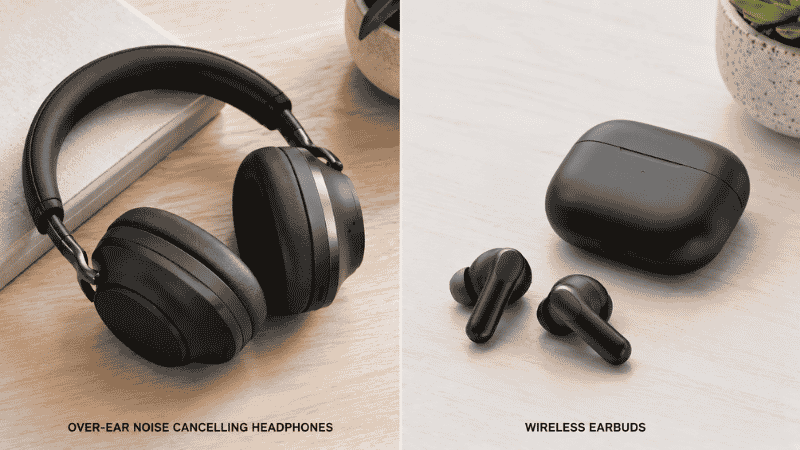
Before looking at any specific product, this choice shapes everything else. And unlike most purchasing decisions, the right answer isn’t about quality — it’s about how you actually work.
Over-ear headphones make sense when:
You spend long hours at your desk without moving around. Over-ear cups distribute pressure across a larger area of your head, which most people find significantly more comfortable than in-ear tips after four or five hours. The ANC is generally stronger because the cups physically block more sound before the electronics do their work. And the microphone — whether built-in or on a boom arm — is typically positioned better for call clarity.
The tradeoff: they’re warmer (literally — the cups trap heat around your ears), bulkier to store, and feel slightly odd to wear if you need to move to a different room, grab something from the kitchen, or have a brief conversation with someone in your household without removing them.
Earbuds make sense when:
Your workday involves frequent movement — going from your desk to make coffee, picking up packages, moving between rooms. Earbuds go with you without requiring you to take them off or carry them separately. They’re also better if you share a space and want to be able to hear ambient conversation without removing anything — you can easily pull one out.
The tradeoff: in-ear tips cause fatigue for many people after extended continuous wear. Battery life per charge is shorter, though the case recharges them. And the microphones, while improved, generally don’t match a well-positioned over-ear headphone mic for call clarity in noisy environments.
The honest middle ground: Many remote workers end up using over-ear headphones for long focus blocks and earbuds for calls and movement throughout the day. If that’s your pattern, a mid-range option in each category makes more sense than one premium pair.
What “Noise Cancelling” Actually Means (Two Different Things)
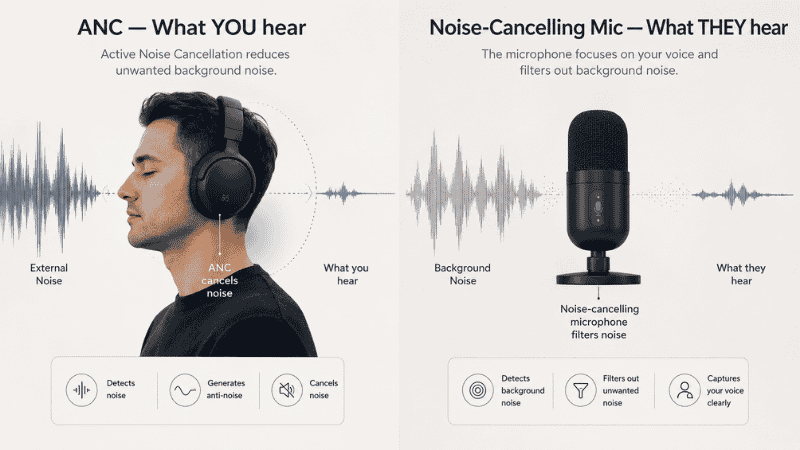
This distinction matters enormously for working from home and almost no headphone guide explains it clearly.
ANC (Active Noise Cancellation) uses microphones on the outside of the headphones to detect ambient sound, then generates an inverse sound wave to cancel it. This affects what you hear — it reduces background noise in your own ears, helping you focus and hear calls more clearly.
Noise-cancelling microphone uses a different set of microphones to isolate your voice and reduce background noise in what your colleagues hear. This is entirely separate from ANC. A headphone can have excellent ANC for your ears but a mediocre microphone that picks up everything around you on calls — and vice versa.
For remote workers who are mostly on calls, the microphone quality is at least as important as the ANC. For remote workers who mostly work solo with occasional calls, ANC quality takes priority.
The best work-from-home headphones optimize for both. The products that focus only on ANC for the listener (like many consumer music headphones) often have adequate but not exceptional microphones.
How to Choose Headphones for Working from Home: By Work Pattern
If Your Day Is 50%+ Video Calls
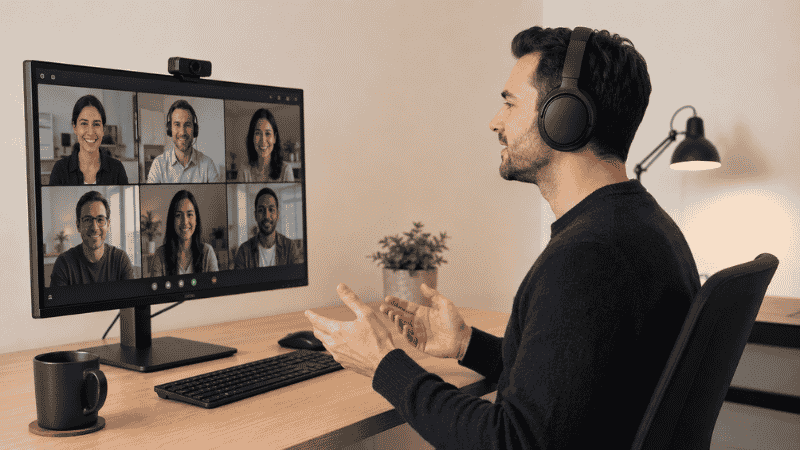
Primary need: Clear microphone that makes you sound professional regardless of your environment.
The Sony WH-1000XM6 (~$349–399) is the current benchmark for combined ANC and microphone quality in consumer over-ear headphones. Call clarity is exceptional — colleagues hear you clearly even in moderately noisy home environments. ANC is industry-leading. Battery runs 30+ hours. The main limitation is the ear cups run slightly warm during extended use.
The Jabra Evolve2 55 (~$299–349) is specifically designed for professional call use — certified for Microsoft Teams and Zoom, with a professional-grade microphone that outperforms consumer headphones in direct call quality comparisons. It’s less exciting as a music listening experience but exceptional for the calls-heavy remote worker.
For earbuds in this category: the Apple AirPods Pro 3 (~$249) for Mac/iPhone users. The ecosystem integration — automatic switching between devices, transparency mode, Siri integration — removes daily friction. Call quality is very good for earbuds. ANC is the best available in the earbud category.
If Your Day Is Mostly Focus Work with Occasional Calls
Primary need: Comfortable ANC that lets you work for hours without fatigue, with adequate call quality.
The Bose QuietComfort 45 (~$279–329) or Bose QuietComfort Ultra (~$349) are the comfort leaders in the over-ear category. The ear cushion and headband pressure distribution is noticeably better than Sony — many users report wearing Bose for a full workday without discomfort. ANC is excellent, slightly less aggressive than Sony’s XM6 in raw technical performance, but imperceptible in real home office conditions. Microphone is good, not exceptional.
The Sennheiser Momentum 4 (~$249–299) is worth considering for this pattern. Battery life is exceptional (60 hours), ANC is effective for typical home office noise profiles (HVAC, traffic, household appliances), and the audio quality for music and podcasts during focus work is genuinely better than either Bose or Sony. Call quality is adequate but not a standout.
If You’re Budget-Conscious (Under $100)
Effective ANC under $100 is genuinely available now — it wasn’t two years ago.
The Anker Soundcore Q45 (~$55–65) consistently surprises reviewers with its ANC depth for the price. Comfort is decent for the cost. Microphone is functional for calls, not exceptional. Battery life is solid. For someone who needs basic ANC for home focus work on a tight budget, this is the entry point.
The Sony WH-CH720N (~$80–100) steps up noticeably in ANC quality and weight — at 192g it’s significantly lighter than premium options and the ANC is effective. A strong choice for budget-conscious remote workers who still want reliable noise cancellation.
For budget earbuds: the Anker Soundcore Liberty 4 NC (~$50–70) offers ANC that genuinely works, a solid microphone, and good battery life. The best value in noise-cancelling earbuds at this price point.
Noise Cancelling Earbuds for Work: When They Make Sense

The earbud category has improved dramatically. Two years ago, the advice was often “earbuds for commuting, over-ear for desk work.” That’s no longer automatically true.
For remote workers who alternate between desk-based focus work and moving around the house — making coffee, brief conversations, picking up packages — earbuds handle the workflow better. You don’t need to take them off, adjust them, or carry them. They stay in, and you manage calls and music seamlessly throughout the day.
The practical limitation: in-ear fatigue. The pressure of in-ear tips against the ear canal causes discomfort for many people after 2–3 continuous hours. If your focus blocks are consistently 3+ hours, earbuds may not be the better choice — or you’ll need to take breaks more deliberately.
The AirPods Pro 3 remain the standard recommendation for Apple ecosystem users. For non-Apple users, the Sony WF-1000XM5 (~$249–279) offers the best ANC in the earbud category outside of AirPods, with solid call quality and comfortable fit for most ear sizes.
The Microphone Question: What Makes You Sound Professional on Calls
Your headphone microphone is what your colleagues experience. A mediocre microphone makes you sound distant, hollow, or surrounded by the ambient noise of your home — not what you want in a professional context.
The factors that determine microphone quality in remote work:
Microphone placement. Over-ear headphones with boom mics (like the Jabra Evolve2 55) position the microphone close to your mouth, which dramatically improves pickup quality. Built-in microphones on the headband or earcup are convenient but farther from the source. In-ear mics on earbuds are often the farthest away.
Beamforming and noise isolation. Better headphones use multiple microphones and processing algorithms to isolate your voice from background noise. Sony’s and Jabra’s processing is notably better than lower-tier options in real call conditions.
Testing your microphone before relying on it. Record a short voice memo in your typical work environment. If you can hear your HVAC system, traffic, or other ambient sounds clearly, your colleagues can too. The fix is either a headphone with better noise-isolating mic processing, or a dedicated USB microphone.
A dedicated USB microphone — positioned on a desk stand near your face — will almost always beat any headphone microphone for call quality. If your work involves frequent important calls (client calls, presentations, interviews), a $70–100 USB condenser mic is worth considering alongside your headphones.
How to Choose Headphones for Zoom Calls Specifically
If video calls are your primary use case and you want to optimize specifically for that:
The microphone matters more than ANC for Zoom calls, because Zoom itself applies noise suppression to incoming audio. What your colleagues hear is mostly determined by your microphone’s voice isolation quality.
In this context, the Jabra Evolve2 55 is the clear recommendation — it’s certified for Zoom and Teams, the boom mic isolates voice exceptionally well, and the professional positioning (it’s used widely in corporate environments) reflects its genuine call quality advantage.
For a more consumer-friendly option: Sony WH-1000XM6. Zoom’s own noise suppression plus Sony’s microphone processing produces very clean call audio.
Earbuds for Zoom: AirPods Pro 3 (Apple users) or Sony WF-1000XM5 (non-Apple). Both handle Zoom calls well; over-ear options still have a microphone quality advantage in noisy environments.
What to Do If Your Headphones Still Feel Uncomfortable After Hours
If you’re wearing headphones for a full workday and experiencing discomfort:
Over-ear: Check the clamping force. Many over-ear headphones clamp too tightly out of the box. You can gently stretch the headband over a stack of books overnight to reduce clamping force — a common and effective fix. Also check whether your ear cups are fully surrounding your ears or pressing against them; ear cup size varies significantly between models.
Earbuds: Try different ear tip sizes. Most earbuds ship with three sizes; many people use the wrong size, leading to either poor seal (weak ANC) or too much pressure (pain). A proper seal should feel secure but not painful. If you consistently experience discomfort regardless of tip size, the earbud form factor may not work for you — some people’s ear canals don’t accommodate in-ear tips comfortably.
ANC pressure sensitivity: Some people experience a pressure-like sensation from ANC, even without physical discomfort. This is from the phase-cancellation effect and affects roughly 20–30% of users to some degree. If this is you: look for headphones with adjustable ANC levels (most premium options have this), or use a lower ANC setting for focus work and full ANC only when ambient noise is particularly disruptive.
If You Only Have 10 Minutes to Decide
Answer these two questions:
Do you spend more than half your day on calls? If yes: Sony WH-1000XM6 or Jabra Evolve2 55 for over-ear, AirPods Pro 3 for earbuds.
Do you mostly work solo with occasional calls and move around the house frequently? If yes: Bose QuietComfort 45 or Sennheiser Momentum 4 for over-ear, Sony WF-1000XM5 for earbuds.
Budget under $100? Anker Soundcore Q45 for over-ear, Anker Soundcore Liberty 4 NC for earbuds.
FAQs
What are the best headphones for working from home? For most remote workers, the Sony WH-1000XM6 ($349) offers the best balance of ANC, call quality, and all-day comfort. For call-heavy roles, the Jabra Evolve2 55 is the professional standard. Budget-conscious buyers should look at the Anker Soundcore Q45 ($55–65) or Sony WH-CH720N (~$80–100).
Are noise cancelling earbuds good for work from home? Yes, particularly for workers who move around during the day. The Apple AirPods Pro 3 lead for Apple users; the Sony WF-1000XM5 for non-Apple. The limitation is ear fatigue after extended continuous wear — over-ear headphones are more comfortable for 6+ hour continuous sessions.
What’s the difference between noise cancelling for me vs noise cancelling for calls? ANC reduces ambient noise in your own ears. A noise-cancelling microphone reduces ambient noise that your colleagues hear on calls. These are different features. Many consumer headphones prioritize ANC for the listener but have mediocre microphones — check both specs if calls are important.
How much should I spend on headphones for working from home? $60–100 for effective ANC on a budget. $250–350 for premium ANC with strong call quality. The $150–250 range is crowded with options that are good but not exceptional — you often get better value going slightly above or below that range.
Do I need a separate microphone if I have good headphones? Not necessarily — the Sony XM6, Jabra Evolve2, and AirPods Pro 3 all have strong enough microphones for professional calls. If you’re doing podcast recording, voice-overs, or your work involves very important calls where audio quality is critical, a dedicated USB microphone ($70–120) will outperform any headphone microphone.
The Right Pair Makes the Day Noticeably Better
Headphones for working from home aren’t a luxury for most remote workers — they’re a tool that directly affects your focus, your call quality, and how comfortable you feel at the end of a long day.
Get the form factor right for how you work first. Then match the ANC and microphone quality to your actual daily pattern. A $250 pair of headphones that fits your work style well will serve you better than a $400 pair that’s optimized for something you don’t do.
Related Articles on CircuitSeek
- The Complete Home Office Setup Guide →
- Eye Strain Relief for Remote Workers →
- Best Wireless Keyboard and Mouse Combo →
- Desk Organization Ideas That Actually Stick →
- Small Home Office Ideas That Work →
References
- HeadphoneCurve. Best Headphones for Working from Home 2026. https://headphonecurve.com/best-headphones-for-working-from-home/
- Soundly. Best Work from Home Headsets 2026. https://www.soundly.com/blog/best-work-from-home-headsets
- National Institute for Occupational Safety and Health (NIOSH). Noise and Hearing Loss Prevention. https://www.cdc.gov/niosh/topics/noise/
- RTINGS.com. The Best Headphones for Work, Tested. https://www.rtings.com/headphones/reviews/best/by-usage/office