There’s a specific kind of low-grade frustration that comes from a charging cable.
Not dramatic. Just the moment you reach for your phone during a call and the cable is tangled. Or you go to pick up your laptop and realize the phone cord came with it. Or you sit down in the morning and the phone you thought was charging isn’t, because the cable wasn’t quite seated in the port. Small frictions, repeated daily, that add up to a workspace that feels slightly more chaotic than it should.
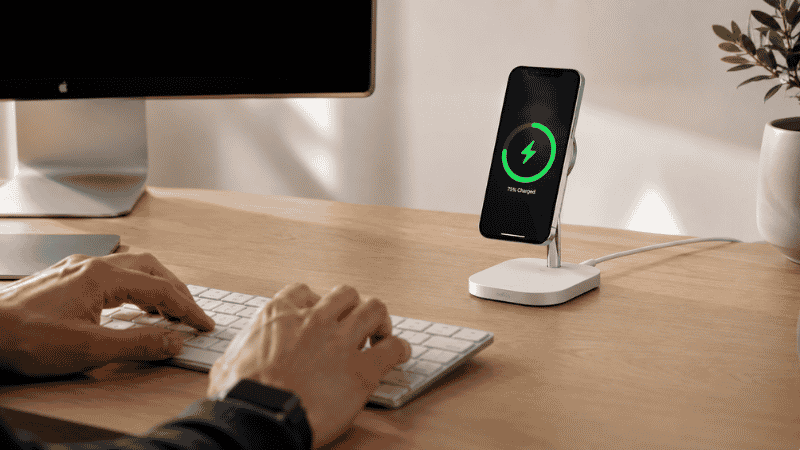
A wireless charger on your desk eliminates most of this. You set your phone down in roughly the right spot, and it charges. That’s it. No ports, no cables, no checking whether the connection is seated. For a home office where you’re at your desk six to eight hours a day, this is a quality-of-life improvement that costs $25–60 and takes about five minutes to set up.
The complication is that the wireless charging category has gotten genuinely confusing in 2026 — MagSafe, Qi2, Qi2.2, standard Qi, 3-in-1 stations — and the wrong choice can mean paying a premium for features your devices can’t actually use. This guide cuts through it.
Key Takeaways
- MagSafe and Qi2 are functionally similar for most users — both use magnetic alignment for up to 15W charging; Qi2 is the open-standard version that works with newer Android phones (Samsung Galaxy S24+, Pixel 9+) as well as iPhones
- Standard Qi (no magnets) works with virtually any smartphone that supports wireless charging, but lacks alignment magnets — meaning the phone can shift off the coil and stop charging without you noticing
- Qi2.2 is the newest standard (2026) with support for 25W+ charging speeds on compatible devices; most people don’t need it yet, but it’s worth knowing about before buying
- The best wireless charger for your desk depends primarily on which phone you use — the recommendations for iPhone users, Android users, and mixed households are genuinely different
- A desk wireless charger placed in your natural phone-down zone — typically 6–12 inches to the right of your keyboard — eliminates the daily habit change required; placement matters as much as the product
MagSafe vs Qi2 vs Qi: What Actually Matters for Desk Use
Most wireless charger guides bury this explanation or skip it entirely. It’s the most important thing to understand before buying anything.
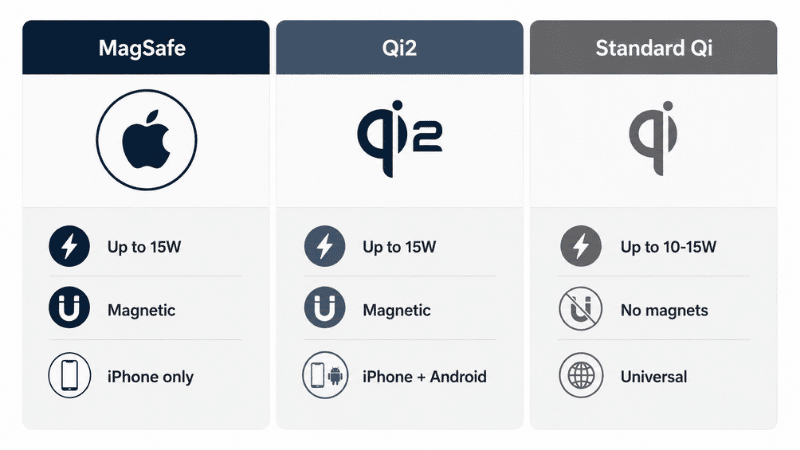
MagSafe is Apple’s magnetic wireless charging standard, built into iPhones from iPhone 12 onward (except iPhone SE and 16e). The magnets ensure the phone aligns perfectly with the charging coil every time — no manual positioning, no sliding off overnight. MagSafe chargers deliver up to 15W to MagSafe-compatible iPhones. Standard MagSafe pucks deliver 7.5W; certified MagSafe accessories hit 12–15W.
Qi2 is essentially MagSafe made into an open standard. Same magnetic alignment concept, same 15W maximum — but available for any manufacturer to implement without Apple’s licensing. In 2026, Qi2 works with iPhones (it’s compatible with MagSafe) and with a growing list of Android phones including Samsung Galaxy S24+ and Pixel 9+. If you’re buying a charger in 2026 and own a recent iPhone or supported Android, Qi2 is the sweet spot.
Qi2.2 is the updated standard launching in 2026 with support for 25W+ charging speeds on compatible devices. A small number of certified products exist. Most phones don’t yet support it at these speeds. It’s worth knowing about but not worth seeking out specifically unless your device explicitly supports it.
Standard Qi is the original wireless charging protocol — no magnets, relies on manual coil alignment. It works with essentially any smartphone that supports wireless charging, but the lack of magnets means your phone can shift off the charging coil, especially on a flat pad. You’ve probably experienced this: woke up to a phone that hadn’t charged because it moved half an inch off the pad during the night. For desk use where you’re setting your phone down intentionally, this is less of a problem than for overnight charging — but the magnetic alignment of MagSafe/Qi2 is still a meaningful convenience improvement.
The practical summary: If you have an iPhone 12 or newer, get a MagSafe or Qi2 charger. If you have a supported Android phone (Samsung Galaxy S24+ or newer, Pixel 9+), get Qi2. If you have an older device or a phone not yet on the Qi2 list, a standard Qi pad works and costs less.
Best Wireless Charger for iPhone Users
For iPhone users, the MagSafe and Qi2 ecosystem has become rich enough that there’s a good answer at every price point.
Simple desk pad: Anker 313 Wireless Charger or Apple MagSafe Charger (~$25–39)
If you want minimal footprint and just need your phone to charge while it sits next to your keyboard, a simple MagSafe-compatible pad is all you need. The Apple MagSafe Charger puck ($39) is the standard; Anker’s MagGo Pad versions offer similar function at $25–30. These snap to your phone magnetically, charge at 7.5–15W depending on the specific model, and add essentially nothing to your desk footprint.
The limitation: a flat pad means you’re looking at your phone face-down while it charges. If you want to glance at notifications or use your phone while it charges, a stand is more practical.
Desk stand: Anker MagGo 2-in-1 Stand (~$40–55)
The step up from a flat pad is a stand that holds your phone at a viewable angle while charging. The Anker MagGo 2-in-1 charges your iPhone at up to 15W via Qi2 magnets, holds it in portrait or landscape, and has a second pad for AirPods or a second device. It’s sturdy, consistent, and sits comfortably on a desk without feeling like clutter.
For iPhone-only users who want one thing on their desk that handles the phone and optionally earbuds: this is the straightforward recommendation.
3-in-1 station for Apple ecosystem: Belkin BoostCharge Pro 3-in-1 (~$119) or Ugreen MagFlow 2-in-1 (~$60–70)
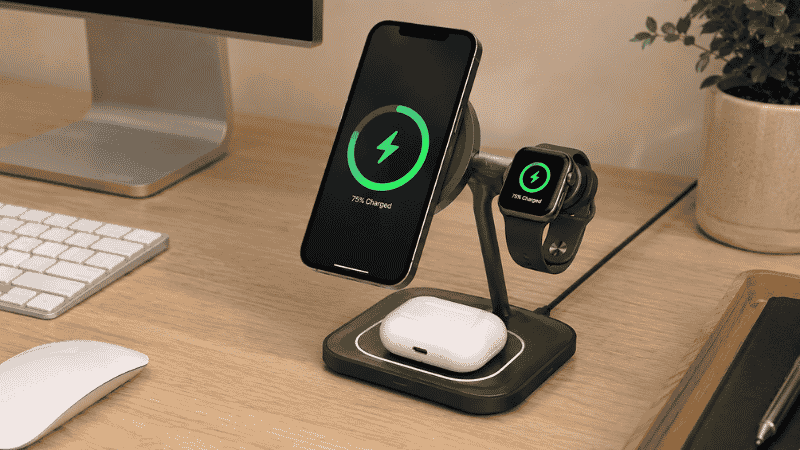
If you use iPhone + Apple Watch + AirPods and want a single charging station for all three, the Belkin BoostCharge Pro 3-in-1 with MagSafe is the category benchmark — it’s well-built, charges all three Apple devices simultaneously, and looks premium. It’s also $119, which is on the expensive side for desk accessories.
The Ugreen MagFlow 2-in-1 Qi2 station at $60–70 handles iPhone and AirPods well at a more reasonable price — a strong value pick if you don’t use an Apple Watch or don’t mind charging it separately.
Best Wireless Charger for Android Users
Android wireless charging has become significantly more interesting in 2026 with Qi2 support expanding across Samsung and Google devices.
For Samsung Galaxy S24+ or newer: Any Qi2 certified charger
The magnetic alignment of Qi2 works with these Samsung devices natively — no case adapter needed. The Anker MagGo series, Ugreen Qi2 chargers, and similar Qi2-certified pads and stands all work at up to 15W. You get the same magnetic convenience as MagSafe iPhone users.
For Samsung Galaxy S23 or older, Pixel 8 or older, or most other Android phones: Standard Qi pad
These devices charge wirelessly but without magnetic alignment. A standard Qi pad from Anker (~$15–25) or Samsung’s own wireless charging pad ($30–40) charges at 10–15W depending on the device. The Samsung 15W Duo Pad handles two devices simultaneously and is a reliable option for Android households.
The main thing to watch: some Android phones support faster wireless charging speeds (25W or higher) but only with the manufacturer’s own charger. Third-party pads may charge at lower speeds. If fast charging matters, check your specific device’s compatibility.
For mixed Android households: Samsung Wireless Charger Duo Pad (~$35–50)
Works with any Qi device, handles two phones simultaneously, and at $35–50 represents solid value for households where multiple Android phones (or a mix of devices) need daily charging.
Best Wireless Charger for Multi-Device or Mixed Households
If your desk needs to charge an iPhone, an Android phone (partner or secondary device), and wireless earbuds — or some combination — the multi-device stations are worth considering.
The Belkin BoostCharge Pro 3-in-1 is the premium option here, handling iPhone (MagSafe), Apple Watch, and AirPods in one unit. For pure Apple ecosystem households, it’s genuinely convenient.
For mixed households or non-Apple setups: a two-pad Qi charger handles most combinations. The Anker 533 Wireless Charger (3-in-1 Station) at $35–45 is a reliable middle-ground that charges multiple devices without requiring all of them to be Apple products.
Where to Put a Wireless Charger on Your Desk
This is the part most guides don’t cover — and it determines whether the charger actually becomes a habit or just sits there.
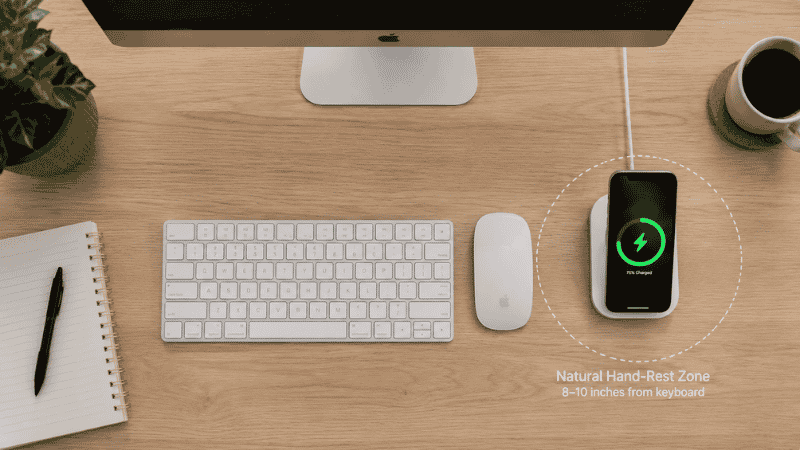
The goal is to make the charger the natural landing spot for your phone when you set it down. This means positioning it in the zone where your phone currently ends up when you’re not actively using it.
For most right-handed desk users, that’s 6–12 inches to the right of the keyboard — where your hand naturally rests when not typing. Put the wireless charger there. Your phone will end up on it automatically, without thinking.
If you put it in the back corner of your desk or off to one side you don’t typically reach to, you’ll consciously have to remember to place your phone on it, and the habit won’t stick.
A few desk-specific considerations:
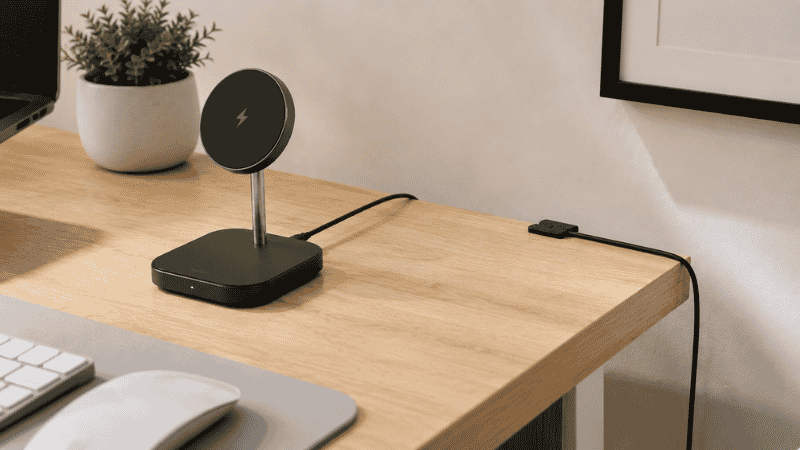
Cable routing matters more than most people expect. A wireless charger still has one cable running to a power source. Route it the same way you’ve managed other desk cables — along the desk edge, through a cable clip, down the back. A wireless charger with a messy power cable running across your desk defeats much of the aesthetic benefit.
Stand vs pad: On a desk, a stand is more practical than a flat pad. It positions your phone at a viewable angle so you can glance at it without picking it up. A flat pad requires you to flip the phone over or pick it up to see the screen. If you check your phone regularly during the workday, a stand is worth the small additional cost.
Distance from monitor: Keep the charger far enough from your monitor and laptop that the phone doesn’t distract you while you work. Close enough to reach without pushing your chair back. This is usually 12–20 inches from your primary workspace.
What to Do If Your Wireless Charger Isn’t Working
The most common desk wireless charger problems are straightforward.
Phone isn’t charging: Check that the charger is plugged into a powered outlet. For MagSafe and Qi2 chargers, ensure the phone is within the magnetic alignment zone — the magnets should snap it into position. For standard Qi pads, the phone may have shifted off the coil; reposition it more centrally.
Charging slower than expected: Most wireless chargers require a higher-wattage USB-C wall adapter than the one that shipped with your phone. A MagSafe charger delivering full 15W needs at least a 20W USB-C adapter. If you’re using a 5W or 12W adapter, you’ll see slower speeds. Check what wall adapter is connected to the charging pad.
Phone getting warm: Some heat during wireless charging is normal — wireless charging is slightly less efficient than wired and generates more heat as a result. Excessive heat (too hot to touch) may indicate the phone’s case is thick or poorly heat-dissipating. Remove the case and test. MagSafe and Qi2 charging generates less heat than standard Qi because the alignment is more efficient.
Charger works intermittently: Usually a cable or connection issue rather than the charger itself. Test with a different USB-C cable. If the problem persists, the charger may be faulty.
If You Only Have 10 Minutes to Decide
Answer two questions:
What phone do you have? iPhone 12 or newer → get a MagSafe or Qi2 charger. Samsung Galaxy S24+ or Pixel 9+ → get Qi2. Older Android or other phone → get standard Qi.
Do you want to see your phone while it charges, or just set it down? Want to see it → get a stand. Don’t care → get a pad.
For most home office workers: the Anker MagGo 2-in-1 Stand (iPhone) or Anker 313 Wireless Charger pad (Android/budget) handles the desk use case well at $25–55. That’s the decision in one sentence.
FAQs
What is the best wireless charger for a home office desk? For iPhone users: the Anker MagGo 2-in-1 Stand (~$45–55) offers Qi2/MagSafe charging with a stand that keeps your phone visible. For Android users with Qi2 phones: any Qi2-certified charger works. For standard Qi devices: the Anker 313 Wireless Charger pad (~$15–20) is reliable and affordable.
What’s the difference between MagSafe and Qi2? Functionally similar for most users. Both use magnetic alignment for up to 15W charging. MagSafe is Apple’s proprietary version; Qi2 is the open standard version available to other manufacturers and compatible with both iPhones and newer Android phones. If you see “Qi2 certified,” it works with iPhones too.
Does wireless charging work through a phone case? For standard Qi: yes, up to about 3mm thickness. For MagSafe and Qi2: the magnetic alignment works through MagSafe-compatible cases. Non-MagSafe cases may interfere with the magnet alignment, reducing charging speed or requiring repositioning.
Is wireless charging slower than wired charging? Yes. MagSafe at 15W is slower than the 25–30W wired fast charging available on most modern phones. For desk use during the workday, this rarely matters — your phone charges throughout the day rather than in a single fast session. For overnight charging, either works. For quickly topping up before leaving the house, wired is faster.
Can one wireless charger charge multiple devices? Multi-device stations (3-in-1) charge iPhone, Apple Watch, and AirPods simultaneously. Duo pads charge two phones at once. Single-device chargers charge one device at a time. For a desk with multiple devices, a 2-in-1 or 3-in-1 station reduces clutter compared to multiple separate chargers.
One Less Cable
The wireless charger is a small addition to a desk but a meaningful one. Not because it charges faster or more efficiently than a cable — it doesn’t. But because removing the cable friction from a repeated daily interaction is the kind of invisible improvement that makes a workspace feel more controlled without requiring any effort to maintain.
Set it where your phone naturally lands. Route the cable neatly. Forget about it. That’s the whole setup.
Related Articles on CircuitSeek
- The Complete Home Office Setup Guide →
- Desk Organization Ideas That Actually Stick →
- Best Wireless Keyboard and Mouse Combo →
- Adjustable Laptop Stand for Desk →
- Thunderbolt Dock for Home Office →
References
- Wireless Power Consortium. Qi2 Specification Overview. https://www.wirelesspowerconsortium.com/qi2/
- Apple Inc. MagSafe Charger — Technical Specifications. https://www.apple.com/shop/product/MHXH3LL/A/magsafe-charger-1-m
- TechGearLab. Best Wireless Charger — Lab Tested and Ranked, 2025. https://www.techgearlab.com/topics/electronics/best-wireless-charger